Please visit Marketing Land for the full article.


from Marketing Land - Internet Marketing News, Strategies & Tips https://ift.tt/2WA9cOS
via IFTTT


Think Smaller to Innovate Today written by Jenna Jantsch read more at Duct Tape Marketing
Marketing Podcast with John Jantsch
 Right now, at the beginning of May 2020, a lot of businesses are encouraging you to innovate. Distilleries are making hand sanitizer, bakeries are teaching online classes, and so on. This has many people asking; What should I do? How should I innovate? I love all these ideas that are happening right now but I’d caution that this level of pivoting doesn’t apply to everyone.
What if instead, you decided to think smaller? What if you decided to look at your business and tried to figure out who your ideal customers are? This group is typically your top 20% of all customers. How can you serve them better?
Once you’ve figured out who they are, how to serve them better. What would happen if you created methods and systems to do that quicker, more systematically, with even better results?
Questions to answer during the podcast:
Like this show? Click on over and give us a review on iTunes, please!
 This episode of the Duct Tape Marketing Podcast is brought to you by The Duct Tape Marketing Consultant Network.
Did you know that Duct Tape Marketing is more than a powerful system for marketing small businesses? It’s a network of independent marketing consultants who use the Duct Tape Marketing methodology to help small businesses to grow. Check it out at ducttape.me/123go
The 7 Steps to Keyword Research written by Jenna Jantsch read more at Duct Tape Marketing
Both SEO and content creation strategies cannot be implemented successfully without keyword research. Creating content that is ranking and speaks to the intent and needs of your ideal audience requires an understanding of which keywords matter to the relevant searches.
Keyword research is a critical first step to establishing a successful marketing maturity model. While it’s worth investing some time and effort in the process, it need not be arduous or difficult. In fact, I have some tips to help you conduct simple, effective keyword research.
Who will know your business better than you? Hopefully no one. That’s why a great first step in keyword research is to sit down and brainstorm terms and questions your business answers for clients.
You should have a solid idea of what your business does and what people ask for. Are there certain questions their sales team gets all the time? Is there a consistent piece of feedback you get in reviews about what you did differently from your competition?
Do your best to focus on what customers ask for and stay away from any industry jargon. You are looking for the words and phrases that customers would use to describe your goods and services.
Part of the brainstorming process should also include understanding the types of customers you’re hoping to attract. What do you want to be known for, and what related terms should you focus on?
Google Ads does have a keyword research tool, but I find it easier to just go to the search engine itself and run some test searches. Their autosuggest tool is a powerful way to generate keyword ideas that reflect what people are actually searching for.
Let’s say you own a home remodeling business. If you go to Google and type in “home remodel” check out the suggestions you get.

While some people are looking for specific companies, it seems most turn to Google when they’re in the early design stages. They’re on the hunt for ideas. Others still are looking for an app or software to help them begin the planning process; and that makes sense—it’s easier to commit to an expensive remodeling process if you’ve been able to run some scenarios in advance and are certain it’s worth it. And of course, because the home remodel process is expensive, you see questions about loans coming up close to the top as well.
From this one simple search, you now have a goldmine of information and lots of SEO and content ideas. Maybe write a post outlining how to budget for and finance renovations. Perhaps you can create a video showcasing your favorite free design tools where prospects can test out remodeling ideas.
You can also check out the “People also ask” box featured in the middle of the SERPs and the “Searches related to…” links at the bottom of the page for more ideas.

While you’re on Google, why not check out what the Keywords Everywhere extension can tell you? Designed to work on Chrome and Firefox browsers, this extension will tell you even more about the search terms you enter.
Once you type in your search term, the extension will display related keywords on the Google page. It will also pull in Google advertising data, showing you the search volume, cost per click, and Ads competition.
While YouTube is owned by Google, it’s still worthwhile to pop on over to their homepage to check out their autosuggests on your relevant keywords.

While the search term might be the same, the results you’ll get are often radically different. That’s because people use Google and YouTube in very different ways. Folks often turn to YouTube for tutorials and other types of content, which means you’ll get to see a whole other side of keyword possibilities by checking out autosuggestions on both Google and YouTube.
Another angle to explore is everyone’s favorite online research tool: Wikipedia. Type in your keyword there, and you’ll find a table of contents at the top of the page. This gives you a whole new list of ways to explore your client’s area of expertise. Take again the home remodel example.

The table of contents on home improvement dives into the reasons one may undertake a home renovation project. Perhaps there’s a way for you to build out content around each of these areas. Create a podcast episode around energy-saving renovations, with information about replacing windows, updating insulation, and walking listeners through alternative energy sources, like solar and geothermal. Write a blog post about how to incorporate safety and emergency preparedness measures into a home improvement project, from fire and burglary alarm systems to back up generators that supply power during an outage.
When you’re looking for popular questions related to your search term, I suggest you check out Answer the Public. Simply type in your search term on the homepage, and the tool will create a visual representation of related questions and phrases, and will even provide you with an alphabetical list of related terms.
Once you’ve done your keyword research, it’s time to take a look at the content you already have. How does that content align with the relevant keywords you found along the way? Are there ways to tweak the content to speak more directly to searchers’ intent? Are there gaps in the content you can fill with new content that will better address those most relevant search terms?
From here, you can begin to build out hub pages. These pages serve as the go-to guides on a given topic, and it’s easy to hone in on the best topics for hub pages once you’ve done your keyword research and understand what people are really searching for when they research your industry or field. Hub pages have major benefits from both an SEO and content perspective, so creating a handful of effective hub pages should be the ultimate goal of your keyword research.
Keyword research is never done in a vacuum. Great keyword research is at the heart of strong SEO and content creation strategies. It will drive your editorial calendar creation and help you get ranking in SERPs. By following the steps above, you’ll be sure to cover all of your bases and give yourself the greatest shot at happening upon unique keywords that can help you get noticed in a crowded marketplace.

B2B marketing is boring, doesn’t feature influencers, and uses only monotonous white papers and lifeless case studies — we’ve all heard these stereotypes, but what is the reality of B2B marketing in 2020? The traditional image of dull B2B marketing has been turned on its head in recent years, and we wanted to explore 10 top myths and show how the state of B2B marketing has gone from bland to unforgettable. Let’s dig in and break down the biggest B2B marketing myths, and look at how your brand can benefit from the new era of business marketing.
 [bctt tweet="“the B2B marketing of 2020 has left boring in the dust, replaced with exciting and truly memorable content experiences.” — Lane R. Ellis @lanerellis" username="toprank"]
The post B2B Marketing Mythbusters: Dispelling 10 Common Myths with Extraordinary Marketing appeared first on Online Marketing Blog - TopRank®.


This article originally appeared on SmarterCX as “4 Ways Communications Can Improve CX During a Crisis.”
How do you continue to provide a great customer experience during a crisis, when the very definition of “customer experience” may have changed? Now the priority must be to address customers’ needs, not to try to persuade them to buy your products.
As McKinsey & Company points out, “Particularly in a times of crisis, a customer’s interaction with a company can trigger an immediate and lingering effect on his or her sense of trust and loyalty.” Therefore, open, transparent communication is a necessity, not an option.
 Communicate and communicate well
In a recent article in Harvard Business Review, Paul A. Argenti, Professor of Corporate Communication at Dartmouth College, states, “As someone who studies crisis communication, I regularly tell my students and clients that you need to communicate early and often with your key constituencies throughout a crisis.”
Now is the time to openly, honestly, and regularly communicate with your customers. According to Argenti, “Even if you’re still trying to understand the extent of the problem, be honest and open to maintain credibility.”
To avoid coming across as tone-deaf in your CX, keep in mind these four things when communicating with your customer base.
ToneThink transparency, trust, confidence, and empathy, not business as usual. Being clear and concise goes a long way. Readability is also essential when communicating with customers. Overly descriptive, intense communications are likely to receive pushback. Also, keep in mind that people read differently based on the medium they are using. When it comes to digital communication, we tend to scan. We read the first line of each paragraph, glance at section headings, scan lists, and generally hop all over the place to see what interests us.
AudienceWrite for your audience. To do so may require segmentation and utilizing different communication tactics. Follow these four questions from Forrester to help segment your audience accordingly:
What is the most important information for my specific audience?
What is their emotional context? In other words, what are they feeling because of what is going on around them? Consider regional and demographic differences and perhaps segment your audience accordingly.
Why am I communicating with them?
How should you deliver communications? Email, video? Social media? Post/banner on the website? Press release?
Things change in the blink of an eye, so communicate frequently and with relevance. For example, if customer service hours have been scaled back, be proactive in getting that message out, and provide alternatives. If you offer free returns but require customers to drop off merchandise at a brick-and-mortar location, keep them in the loop about how to return merchandise and the timeframe for doing so.
ListeningThere are a variety of social media monitoring tools that provide insight into how audience segments are reacting to a crisis and your response to it. Don’t let the name fool you—many of these tools work across social, blogs, forums, newsfeeds, and the web. Again, the results will be different across different types of businesses and industries, so don’t let one example of what a particular company does impact your decisions. Monitoring what customers are talking about, what they are reading about, and what they are clicking on is key to staying in touch you’re your customers’ sentiment.
Want more advice on how to deal with crises? Check out these related posts:


In today’s digital age, remote access software can be a highly valuable business tool.
Remote access software is versatile and offers a wide range of use cases. In short, it allows one computer to view or take control of another computer. These computers don’t need to be on the same network for this to work.
IT departments use this to provide tech support to employees. Customer service representatives can use remote access software to troubleshoot customer problems.
These tools are great for companies with remote workers or anyone who needs to access content from multiple devices.
For example, let’s say you’re giving a presentation at the office, but left your laptop at home. You can use remote access software to grab that presentation from another device. If one of your remote employees is having trouble using a new program, remote access software allows you to take over their computers and do it for them.
You can use remote access software to share files between two devices without using email, instant messaging, or anything else. The possibilities are endless.
After extensive research, there are just seven remote access solutions on the market today that I can confidently recommend. As you continue below, you’ll find an in-depth review with specific use cases for each one on our list.

• Starts at $8 per month
• Made for customer support
• Built-in chat, voice, and video
• 15 day free trial
• Get started for free
Zoho has an extensive product suite of business software for a wide range of purposes and use cases. Some of you are probably familiar with this company and might be using other Zoho products.
With that said, it’s no surprise to see Zoho Assist ranks first overall on our list. This cloud-based solution is perfect for providing remote access support to your customers.
It’s easy to get started and begin web-based support sessions on-demand. All you need is a secure connection between you and your customers.
Use Zoho Assist to transfer files during a live session. The process is completely secure.
You can use this platform to schedule support sessions at a date and time that’s convenient for your customers. This is an ideal way to stay organized, especially across multiple time zones. Zoho Assist has built-in chat, voice, and video to enhance communication between you and whoever you’re helping.
Zoho Assist gives you the ability to reboot remote computers with a single click. You’ll be able to re-establish a connection without losing control of the screen. It even gives you the option to reboot in safe mode.
With Zoho Assist, you and your team won’t need to be tied to a work station to support your customers. You can access Zoho Assist from your phone or tablet using the mobile app.
Here’s a quick look at the plans and pricing options for Zoho Assist:

Starting at $8 per month, the prices are pretty unbeatable. It’s worth noting that the rates displayed above are for an annual contract. But the month-to-month rates are just a few dollars more per month.
Zoho Assist has a free forever plan as well for one remote support technician and five unattended computers.
Try any paid Zoho Assist plan free for 15 days.

• Free for personal use
• Starts at $49 for businesses
• Support iPhones, iPads, and Macs
• 14 day free trial
• Start for free
TeamViewer is one of the most popular remote access solutions on the web. It’s used by 400,000+ people and connects over two billion devices.
Companies like Ford, Microsoft, Philips, Volkswagen, and other well-known brands trust TeamViewer for remote access.
Historically, remote access software has been tricky for supporting Mac and iOS devices. Businesses were using PCs and struggled to support customers using Macs. But TeamViewer doesn’t have those issues. In fact, this remote access tool can even support all iOS devices—including iPhones and iPads.
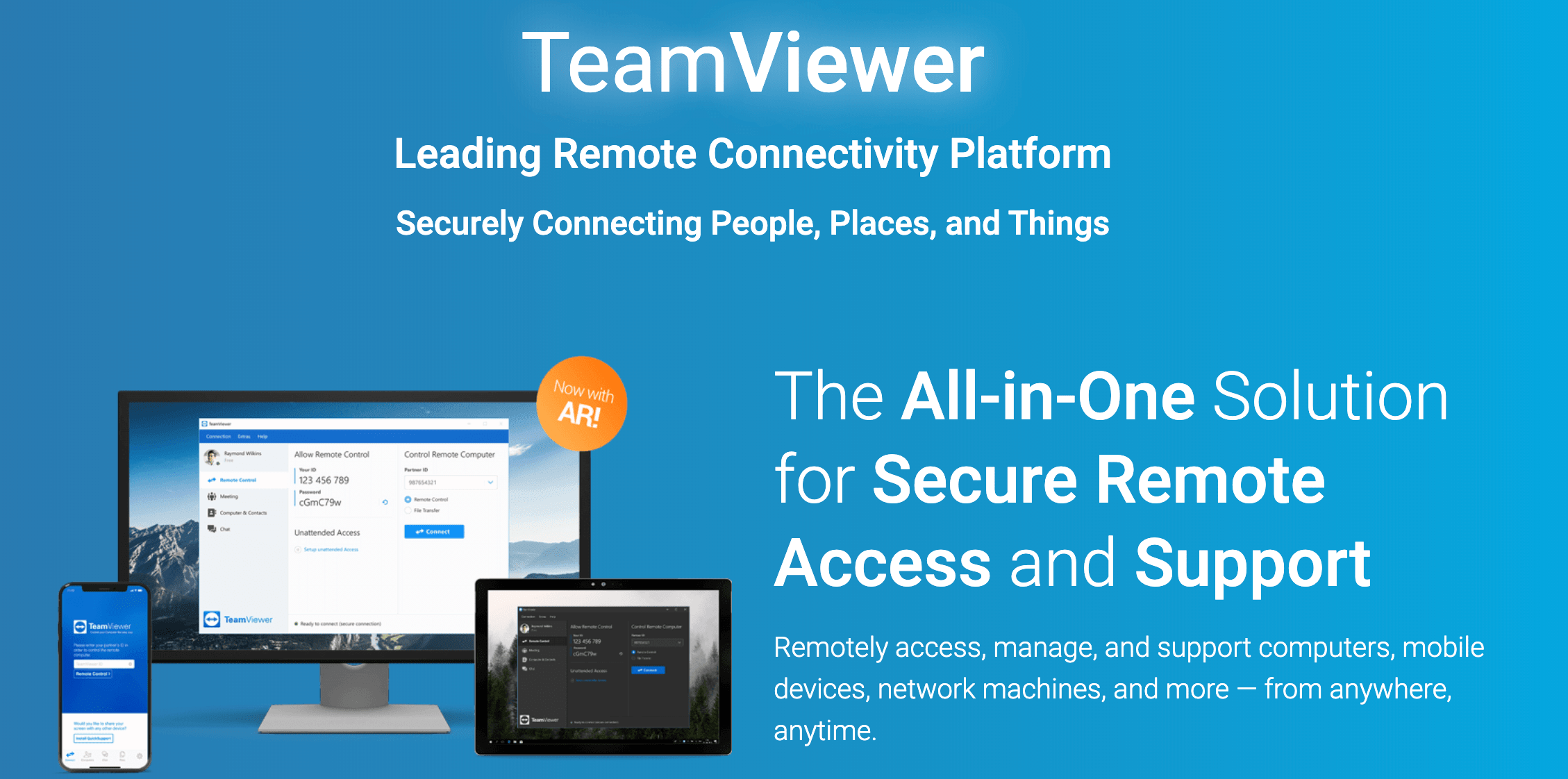
For individuals and personal use, TeamViewer is always free.
Business licenses start at $49 per month for a single seat. For multiple users, pricing starts at $99 per month for a premium license. For small teams that need multiple seats and up to three consecutive sessions, prices start at $199 per month.
You can try any business plan free for 14 days.
The downside of TeamViewer is that you’ll need to buy extra licenses to support more than three sessions simultaneously. But if you need more than ten simultaneous sessions, contact the sales team to see if you qualify for custom enterprise pricing.
TeamViewer also has a new augmented reality feature called TeamViewer Pilot. It’s made for providing remote support to field service workers or on-site technicians for troubleshooting in the real world.

• Two software versions
• Unlimited users
• Great for internal IT teams
• 14 day free trial
• Start for free
ConnectWise is a well known IT and software company that provides a wide range of product offerings. They offer business automation tools, cybersecurity, backup and disaster recovery solutions, remote monitoring, and more.
In terms of remote access software, ConnectWise Control has two options for you to choose from.
The first option is ConnectWise Control Support, which is designed for complete remote control functionality. It’s a help-desk style solution that allows you to resolve issues on-demand for clients.
The next option is ConnectWise Control Access, which is made for unattended access. This solution is a top choice for internal IT teams, POS monitoring, managed services, and remote workforces.
Of the different software options, ConnectWise Control Access is the superior of the two.
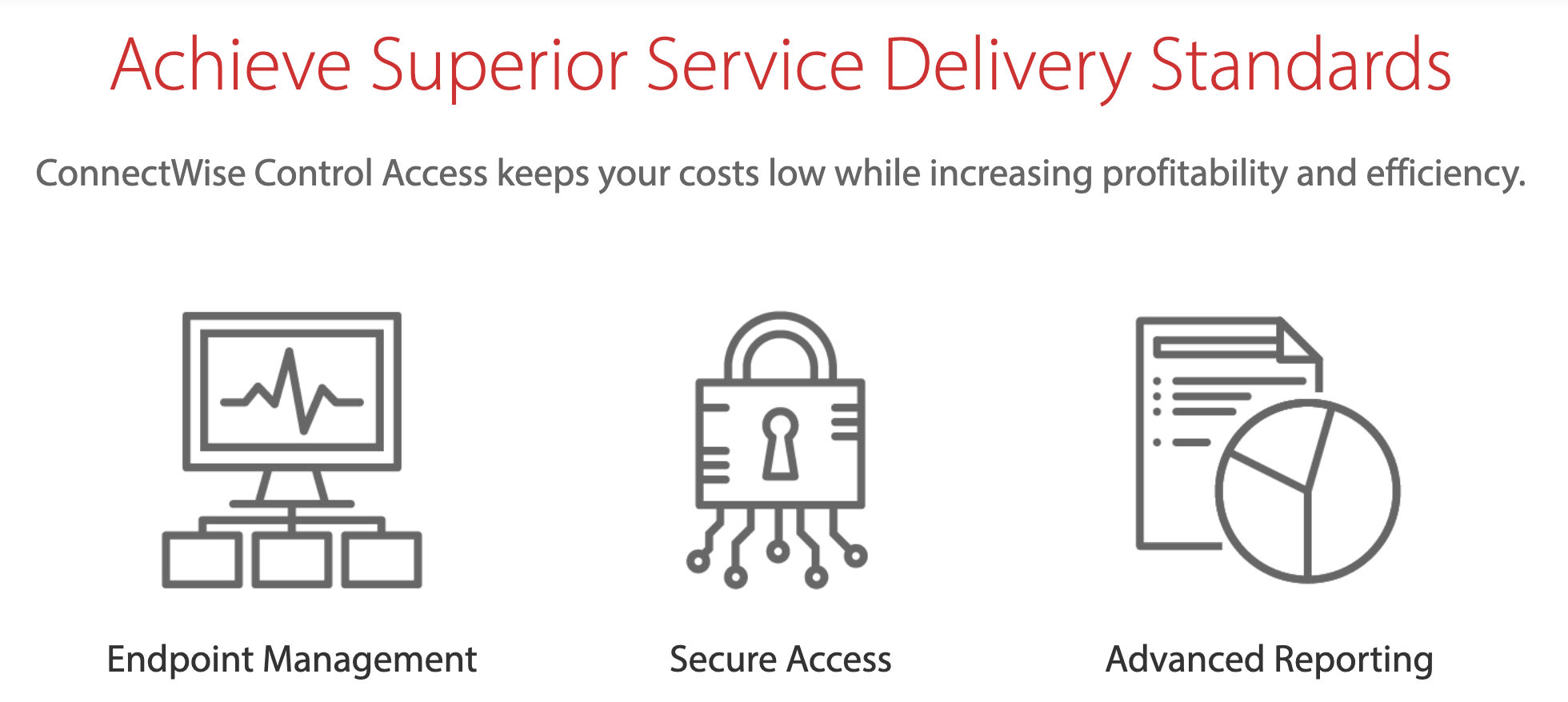
With ConnectWise Control Access, an unlimited number of users can connect to the unattended devices. You simply need to have the unattended access agents installed on any devices you want to monitor and access remotely.
Pricing starts $30 for 25 unattended access agents. You’ll get a better rate per device if you buy in bulk. For example, 100 access agents costs $100 per month, 500 costs $375 per month, and 1,000 costs $600 per month.
In addition to unattended remote access, you’ll also benefit from features like endpoint management, role-based security, advanced reporting, backstage, and a central toolbox.
The downside of ConnectWise Control is the fact that the help desk tools and unattended monitoring are two different pieces of software, as opposed to an all-in-one solution. If you’re interested in ConnectWise Control Support, pricing starts at $19 per month for a single license.
Both software versions are available for month-to-month and annual billing. Try it free for 14 days.

• Compatible with all devices
• Easy to scale
• Great promotional discounts
• 30 day free trial
• Start for free
RemotePC is a simple and straightforward remote access solution. You won’t need to speak to any sales teams or get a custom solution. The download process takes minutes and supports a wide range of devices, including:
So no matter what types of devices you want to access remotely, RemotePC can accommodate your needs. RemotePC also has a wide range of plans and pricing options, depending on why you want remote access software.

From single users to teams and enterprises, RemotePC has a plan for you.
Get 25% off your first year or 50% off your first two years. But regardless of the plan and promotional period you choose, the rate will renew at its regular price.
RemotePC is a private and safe way to access computers remotely. You can even access devices from the web, without any additional software or installation (assuming you have RemotePC already installed on the device you want to access).
Configure one-time instant access sessions by giving your associates or tech support team a unique access ID and passkey.
RemotePC allows for file transfers, remote printing, live chat, and the ability to record remote sessions. It’s easy to add remote computers to your plan as your needs scale; no additional software or hardware required.
Try RemotePC for free with a 30-day trial.

• Starting at $5 per month
• 20% discount for 4+ users
• Trusted by 200,000+ businesses
• 7 day free trial
• Try Splashtop for free
More than 200,000 businesses and 30 million users worldwide trust Splashtop. This remote access software is ideal for solo business users, entrepreneurs, and small teams.
Starting at just $5 per month for an individual user, you’ll have remote access for up to 2 computers.
Access your computers from any device, including Windows, Mac, Chromebook, Android, iOS, and more. You’ll have the ability to transfer files, print remotely, access audio, and switch between monitors.
If you’re a single user with just a couple of computers you’ll want to access remotely, Splashtop will definitely be the best option for you to consider.
For additional users and the ability to access extra computers, Splashtop has another plan that costs $8.25 per user for up to 10 computers per user. This is perfect for smaller teams or even single users who have outgrown the entry-level plan for two devices. You’ll also get a 20% discount if you have four or more users.
It’s worth noting that month-to-month billing is not available for either of these plans, which might sound like a turn-off. However, the rates are still extremely affordable at $60 and $99 per year, respectively.
Try it free for seven days; no credit card required.

• Starts at $30 per month
• Unlimited users
• Lots of premium features
• 14 day free trial
• Get started for free
LogMeIn has a wide range of product offerings. They offer solutions for internal IT departments, business communications, support, and more.
In terms of remote access software, LogMeIn has multiple versions for you to choose from, depending on your business needs. But with that said, LogMeIn Pro will be the best option for most small businesses.
Here’s a quick overview of the plans and pricing for LogMeIn Pro:
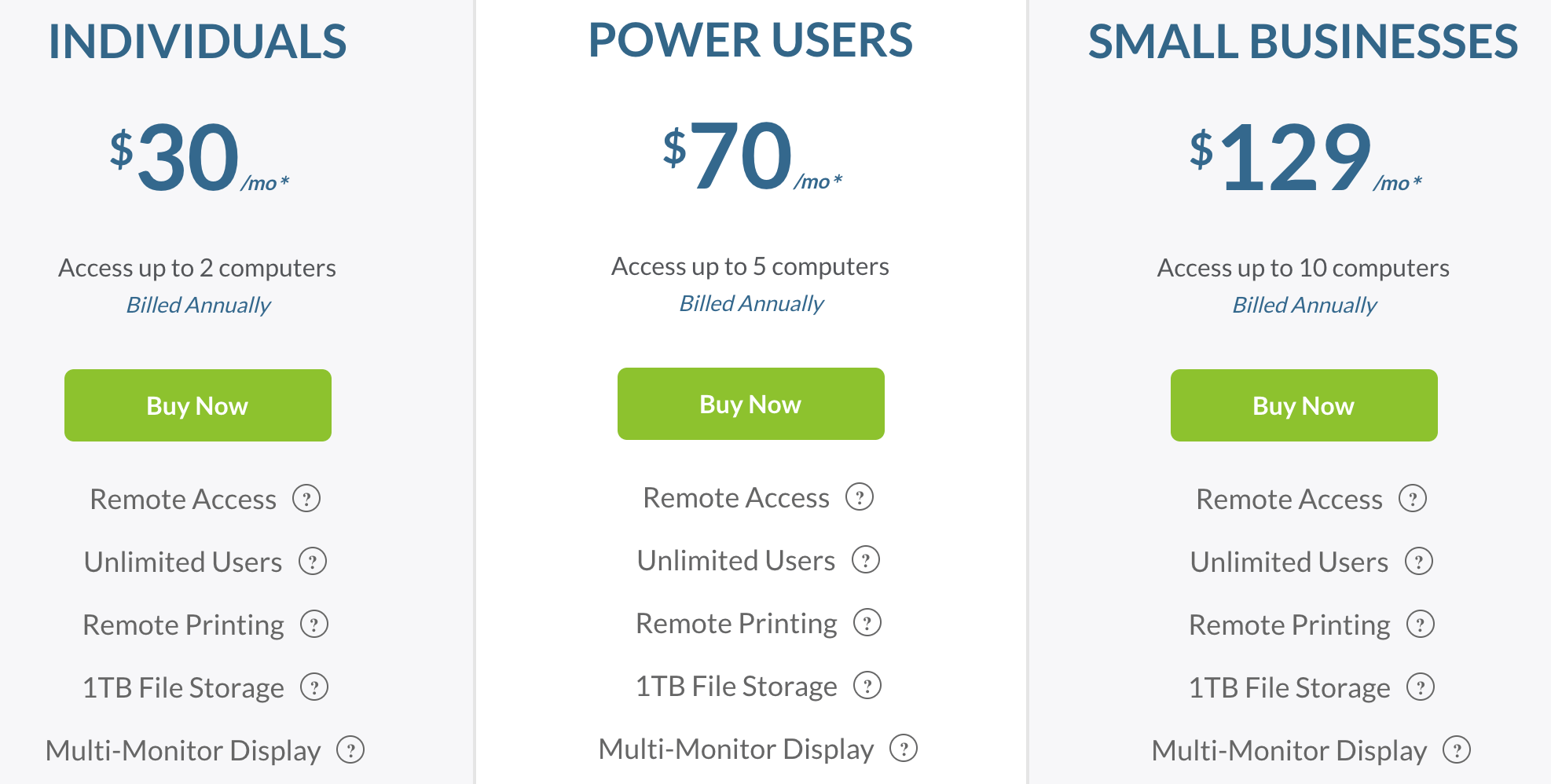
At first glance, it might seem a bit more expensive compared to other options on our list. Splashtop has a similar individual plan that allows you to access up to two computers for just $5 per month.
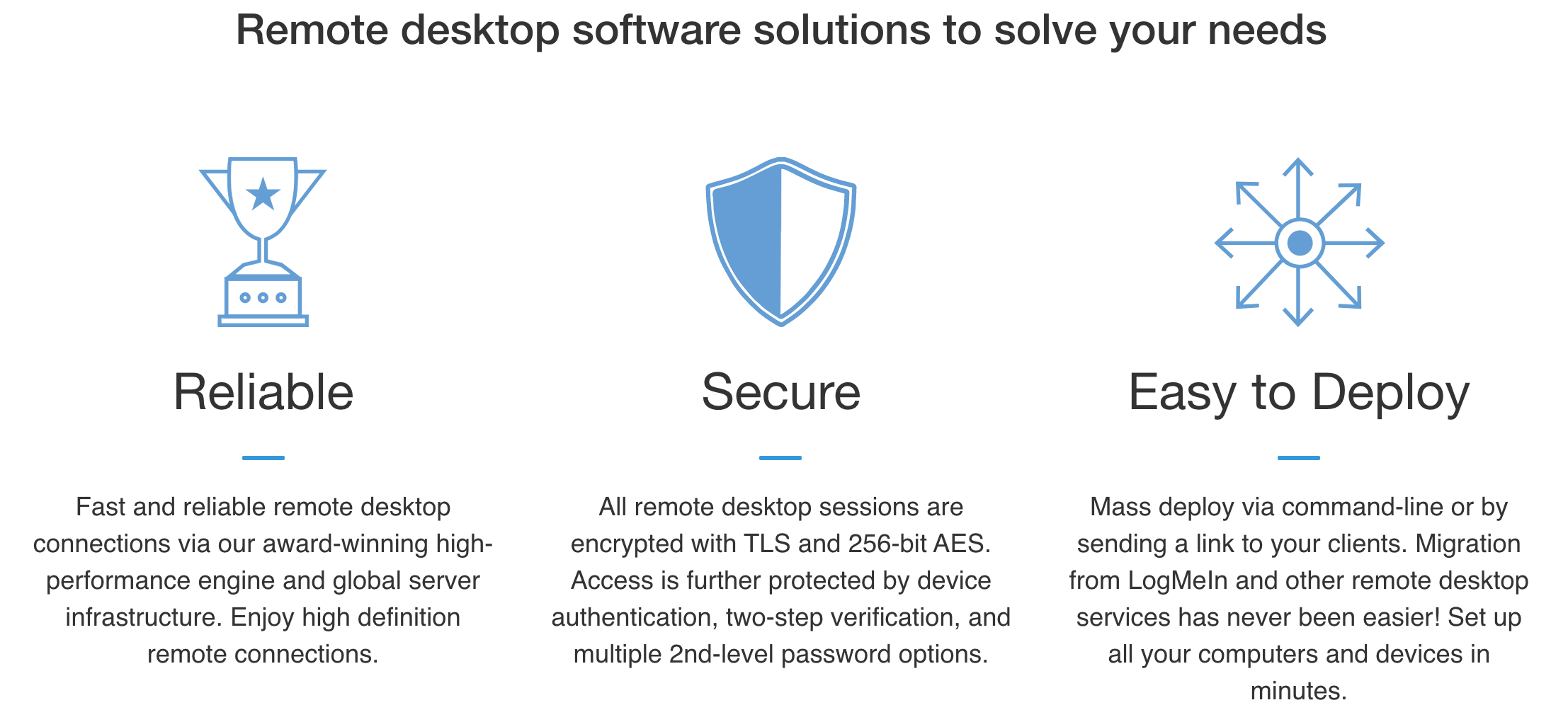
But LogMeIn Pro has all of the features you could possibly need. It works seamlessly for PCs and Macs.
All plans support unlimited users, multi-monitor display, and free access to LastPass, which is is a tool for password management and storage.
Use LogMeIn Pro for remote access on the go. The software has a mobile app version for iOS and Android devices.
When you sign up for LogMeIn Pro, you’ll get step-by-step instructions for getting started. It’s easy for anyone to figure out, regardless of their technical skill level.
For a robust and reliable small business remote access solution, LogMeIn Pro will be your best option. The only downside of this software is the price. Some of the features might be overkill for basic use.
You can try LogMeIn Pro free with unlimited users for 14 days.

• Free forever
• Less than 60 seconds to install
• Requires Google Chrome
• Easy to use
• Install for free
For those of you looking for a quick, easy, and free way to use remote access software, the Chrome Remote Desktop extension can accommodate your basic needs.
Set your computer up to be accessed by another device by simply downloading and installing the extension on your Google Chrome browser. The entire process takes less than one minute.
To share your computer with someone else, just generate a support code and send it to another user. Once that user enters the code on their device, they’ll have full access of your computer. No installation is required for the person who is giving support. They just need to enter the access code online. You can stop a session at any time.

Chrome Remote Desktop is a no-frills remote access solution. It’s not ideal for customer support, IT teams, or really any business purposes at scale.
I’d recommend Chrome Remote Desktop as a one-off solution as opposed to ongoing use. If you need a quick way to access someone’s computer for work or need assistance on your own device, you can use this plugin as a way to give control of your device to another user.
It’s free forever, but you’ll need to Google Chrome for this to work.
Choosing the right remote access software for your business can be challenging if you don’t know what to look for. In most cases, there won’t be one solution that’s best for everyone.
But there are certain factors and elements that you need to look for when you’re evaluating a prospective software. This is the methodology we used to come up with our list. You can use at as well to find the best remote access software for you.
What exactly do you need remote access software for? Your answer will have a significant impact on the solution that you choose.
There are options with help desk solutions for assisting customers. Other options are better for IT teams, remote workers, and internal use.
A small business owner who wants the ability to access all of their own devices from anywhere won’t have the same needs as a tech support department that needs to access employee computers for troubleshooting.
An on-demand remote access session starts with one user granting access to another. So if a remote employee had problems with something, they could give access to their boss, manager, or IT department to take control of their computer.
Unattended access means that you can control a computer without someone on the other end.
For example, if you needed to access a file for a work presentation on a device that you left at home, you could gain access to that device from another computer.
Security should always be a top concern when you’re evaluating remote access software.
You don’t want other people to have access to your devices without your permission. The ability to start and stop a session should always be in your control.
All of the solutions on our list are safe and secure to use. Just make sure you take a closer look if you require industry-specific security such as HIPAA or GDPR.
How many devices do you want to access remotely? How many team members do you need to give this solution to?
Some solutions are better for individuals and smaller teams, while others are made specifically for bigger businesses and entire departments.
Every plan has a limit to the number of devices you can access. While some software solutions are available to an unlimited number of users, other options will restrict the number of people who can use the license.
In addition to basic remote access functionality, you’ll want to look for a solution with features that meet your needs.
Some software has built-in live chat, voice, and video for communication between two users during a session. Logs, reporting, recording, remote printing, file sharing, and support scheduling are other features that you should keep an eye on.
If you’re using remote access for customer support, make sure it integrates with your help desk software.
Cross-platform access is another important feature. Make sure that your remote access software is compatible with Windows, Mac, Android, iOS, Linux, or whatever else you’re using. The best software will give you remote access from mobile applications as well.
What’s the best remote access software? It depends on what you’re looking for.
Zoho Assist is our top overall recommendation. But there are plenty of suitable alternatives depending on the use case.
TeamViewer is the best software for Mac and iOS. Individuals, small teams, and small businesses would be better off with Splashtop or LogMeIn Pro. ConnectWise is the best solution for unattended access. For quick setup and easy scalability, use RemotePC. If you just need a fast and free solution for one-time use, try Chrome Remote Desktop.
No matter what you’re looking for, you can find it using this guide.


