Tuesday, September 1, 2020

Double Opt-In Best Practices for Email Marketing

Double opt-in (DOI) permission practices are often seen as unnecessary and harmful to list growth. However, when used correctly, they can improve your email program’s results by protecting your sender reputation, which keeps you from having deliverability problems.

I’ll explain the advantages and disadvantages of double opt-in—which is sometimes referred to as confirmed opt-in—as well as where and how to use it effectively. However, let’s first answer the most foundational question of...

How does a double opt-in process work?

When an email address is entered into a signup form to receive emails from your company, or, a signup box is checked or left pre-checked as part of a registration or download form, you would send them a signup confirmation email that asks them to click a link in the email in order to confirm their subscription. If they click the link, their subscription is confirmed, and you send them your welcome email, followed by your promotional emails. If they don’t click the link, you don’t send them any additional emails. 

“Sending one opt-in confirmation request may be enough, especially if you’re getting a high rate of confirmation,” says Daniel Deneweth, Head of Email Deliverability Services at Oracle CX Marketing Consulting. “Others may need to send a ‘reminder’ and then perhaps even a ‘last chance’ confirmation request email to get their rates up. Sending those to non-responders within one or two weeks could be effective, and not too risky.”

This process contrasts with a single opt-in process, where your company accepts all email addresses entered into signup forms and accepts all checked boxes as consent.

There are three chief advantages of double opt-in.

1. It provides ironclad permission.

Double opt-in is the only way to be 100% sure that the person who entered an email address actually owns that email address. Since you can only get permission from the owner of an email address, this is the only ironclad way to get permission. From a compliance perspective, securing a double opt-in is the strongest proof of consent you can collect.

“This is the No. 1 reason to implement a DOI policy,” says Clea Moore, Director of Deliverability Strategy for Email Deliverability Services at Oracle CX Marketing Consulting. “In addition to compliance issues around the Canadian Anti-Spam Law (CASL) and General Data Protection Regulation (GDPR), it helps ensure that you don’t send financial, medical, or other potentially sensitive information to the wrong person. For example, Kelly Molloy, an anti-spam friend and former colleague of mine, regularly receives messages meant for someone else with the same name. Those emails include software keys, concert tickets, medical appointment reminders, and receipts with contact and billing information.”

2. It makes consent crystal clear

People don’t always recognize that they’re signing up for promotional emails. This is especially true when a consumer is checking out online, registering for a webinar, downloading a white paper, or accomplishing some other primary objective. Email consent is collected as a secondary objective. This is most true when email consents are collected via inconspicuous pre-checked boxes, or ,people are auto-opted-in according to details hidden in terms and conditions. This is so user-unfriendly that it’s illegal under CASL and GDPR. 

A double opt-in clarifies and strengthens consents by adding intent and acknowledgement to the opt-in. Evidence of this can be seen in the fact that subscribers that complete this process have considerably higher email engagement than those who complete a single opt-in process.

3. It protects your sender reputation

In addition to yielding subscribers that have higher engagement, double opt-in also helps companies safeguard their email deliverability by protecting them from;

  • Typo and other spam traps that inbox providers and email blocklist operators use to identify spammers.

  • Malicious signups, where a competitor, detractor, or bad actor purposefully signs up for your promotional emails using email addresses other than their own or spam traps they’ve identified.

In both cases, using a double opt-in process limits the number of emails you’d send to any of these addresses. Since spam traps never click emails, you ensure that a spam trap never gets on your list. Email bots are also unlikely to click. Or, they’ll click every link in every email you send and, you can identify them that way  too. And those who have been maliciously signed up for your emails are much less likely to report your subscription confirmation email as spam than they would a welcome email, or a promotional email that indicates that this is only the first of many emails they’ll receive.

CAPTCHA, email verification services, email validation services, and other tools can also help reduce these risks. It’s not an either-or proposition. Those tools can be used in conjunction with double opt-in, which is the strongest and most certain way to protect your sender reputation.

What are the disadvantages of double opt-in?

While double opt-in is undeniably powerful, there are two main disadvantages:

1. Slower list growth means lower total engagement

Since you can safely send just one opt-in confirmation request email, it’s possible that some real-life would-be subscribers might not see it and therefore never confirm their subscriptions. That means you’ll likely have a few disappointed prospects and customers, plus your list won’t grow quite as fast as it might with a single opt-in process.

“Ultimately, you’re accepting the certainty of lower total engagement in exchange for protection from potential deliverability problems,” says Nick Cantu, Senior Art Director for Creative Services at Oracle CX Marketing Consulting. “Some are happy to make this trade, but others have difficulties choosing a certain loss over a potential one, even if the potential loss is likely to be much larger over time.”

2. It’s another point of technical failure

A double opt-in process has more moving parts than a single opt-in process. More moving parts mean more points of failure. Your subscription confirmation request email is another line item in your inventory of automated emails that you need to regularly QA test and optimize. A breakdown in this email can harm your list growth, so you need to keep an eye on it.

This happened with the Oracle CX Marketing Consulting newsletter when we redesigned our subscription confirmation request email and didn’t connect it into our flow logic appropriately. It took us weeks to realize that this was the reason that our list growth had plateaued.

“Thankfully,” says Esther Shin, Senior Web Developer for Creative Services at Oracle CX Marketing Consulting, “we were able to track which contacts had clicked through on the double opt-in email during that period and manually added them to our confirmed subscriber list. Not too long had passed, so we didn’t feel we needed to re-confirm them. So, the damage was limited to the engagement that we lost due to these subscribers missing anywhere from one to three newsletters.”

With these advantages and disadvantages in mind, let’s discuss...

Where should I use a double opt-in process?

The debate over email permission often devolves into a false choice of whether to use single opt-in or double opt-in for all subscriber acquisition sources. While it’s perhaps simpler to implement one universal standard, it’s not the most efficient.

Double opt-in is are most appropriate for your subscriber acquisition sources that;

  • Involve subscribers who are paying for premium content and you need to make sure you’re sending that paid content to the right recipient

  • Have demonstrated in the past that they attract spam traps, email bots, and malicious signups, or generate lots of subscribers who are prone to complaining and rarely convert

  • Are far from your fulfillment and customer service operations, such as co-registrations and list rentals, and therefore highly likely to attract low-quality subscribers

  • Involve open signup forms that anyone and anything on the internet can easily access, such as the email signup form on your homepage—and especially open forms that aren’t on your website, such as the email signup on your Facebook page

  • Involve email address collection processes that are prone to errors in transcriptions, such as paper forms or addresses collected verbally without visual confirmation by the consumer

  • Have pre-checked consent boxes that are buried in the fine print or hidden in terms and conditions, especially when the primary purpose of the form completion is not transactional, such as completing a contest entry form.

“It’s especially important to implement DOI where consent is not clearly being given to receive email,” says Moore. “Otherwise, you run the risk of high spam complaint rates and terrible open rates, in addition to the increased risk of mailing spam traps and landing on a blocklist.”

If you have a deliverability expert on staff or have email deliverability consultants watching over your program, you can lean more toward single opt-in. However, if you don’t have such safety nets in place, you’ll likely want to implement more double opt-in. It’s better to be safe than sorry when it comes to deliverability.

How can I maximize double opt-in confirmations?

Probably the most common objection to double opt-in is that “It costs me list growth because not everyone confirms their subscription.” Of course, the primary purpose of a double opt-in process is to screen out risky signups, so you’d expect some addresses to go unconfirmed.

In an ideal world, all those email addresses that aren’t confirmed would be spam traps, email bots, malicious signups, and people who aren’t interested in receiving your emails and are just going to unsubscribe or report your emails as spam. However, we know that there are some truly interested people who never confirm their subscription. You want to minimize that as much as possible.  There are some best practices to help you achieve that.

  1. Your signup confirmation page or popup should make it abundantly clear that further action is required.

  2. The subject line and preview text of your opt-in confirmation request email should make it clear that action must be taken in the email.

  3. The design of your opt-in confirmation request email must focus recipients’ attention on the one action that you want them to take, which is to click the link to confirm their subscription.

  4. Upon receiving a click on the opt-in confirmation link, your opt-in confirmation page should clearly acknowledge that they are now subscribed and then drive the relationship forward. Make the new subscriber feel welcome—whether that’s asking them to complete their user profile, presenting them with a welcome offer or discount, giving them educational or instructional information, or something else.

We use these best practices with our clients, and also with the Oracle CX Marketing Consulting newsletter. This twice-monthly newsletter shares advice and insights from our more than 500 digital marketing experts. Let’s walk through how we’ve put these best practices in action with this newsletter.

First, after you complete the form on our signup page or the popup form on our archive page, you’re taken to our signup confirmation page. The primary messaging on this page is just 18 words and communicates to the person that they’re not subscribed yet and that they need to “click the link in the email we just sent” to the email address they provided.

“It’s critical to be clear and concise with confirmation statements,” says Brian Sullivan, Strategy Director of Email Deliverability Services at Oracle CX Marketing Consulting. “With today’s short attention spans, you want to compel that lead to take the next action quickly and avoid them abandoning the process midstream.”

Cantu adds that you should leverage the established language that’s used for double opt-ins. “Consumers are very familiar with confirming not only their email addresses, but their cell phone numbers,” he says. “This is a standard step to engage with many brands, so don’t get clever or try to be original.” 

Second, when they go to their inbox and find the opt-in confirmation request email, they’ll see envelope copy that again reinforces that action is needed. For example, the subject line for our email says, “Activate My Subscription” and the preview text says, “Click the link in this email to complete your subscription.”

Third, when they open our email, they see a huge headline and bright red call-to-action button. The primary text consists of just 11 words, with some secondary text to address people who may have received this email because of a malicious signup or typo in an email address.

“A double opt-in confirmation email should have a singular focus with minimal content,” says Cantu. “It is essential to communicate the action needed and remove all unnecessary elements, including navigation bars, social links, and secondary modules.”

And fourth, when they confirm their opt-in by clicking the link in our email, they’re taken to an opt-in confirmation page with the headline “You’re in!” In addition to telling them to look out for our next issue, this page tries to engage new subscribers by providing some of our best content that’s appeared in past issues of our newsletter.


By putting these double opt-in best practices into action, we’ve seen 96% of signups be confirmed. We freely acknowledge that our target audience of digital marketers is savvier about double opt-in practices than the average consumer, but it speaks to the high level of confirmation that can be achieved by designing an experience that’s singularly focused on getting that opt-in confirmation click.

—————

Need help with your email deliverability or marketing automation? Oracle CX Marketing Consulting has more than 500 of the leading marketing minds ready to help you to achieve more with the leading marketing cloud, including Email Deliverability Services and Campaign Automation Services teams that can help you improve your deliverability and set up effective triggered email campaigns.

Learn more or reach out to us at CXMconsulting_ww@oracle.com

For more information about email marketing, please visit Oracle CX Marketing.


from Oracle Blogs | Oracle Marketing Cloud https://ift.tt/3jybNTw
via IFTTT

Get More Conversions with Lessons from 13 Irresistible Call to Action Examples

What’s the difference between a window shopper and a customer?

I’ll give you a hint: It’s the same thing that separates a scroll-by from a click-through. Or an anonymous lurker from a known lead.

The one thing that all your leads, clickthroughs, and customers have in common is that they’ve taken action. More specifically, they responded to a call to action (CTA) on your landing page, website, or ad and actively made a choice to advance through your sales funnel.

If you want to inspire more of your target audience to convert (which, of course, you do), then you need to step up your call to action game. With the right copy, design, and placement, you can create landing pages with powerful CTAs that motivate website visitors to make a move.

A call to action is exactly what it sounds like: you’re literally calling on your audience to take a specific action. This might be clicking a “buy now” button on a sales page or filling out a lead gen form to “download your free copy.”

The Psychology Behind Effective Calls to Action

Knowing the elements that make for a truly compelling offer (and understanding why they work) is the first step to crafting the perfect CTAs for just about every use case.

So, what makes a CTA effective? Let’s start by looking at some of the hard-and-fast rules for creating irresistible calls to action.

1. Grab the Audience’s Attention

Before a visitor can be persuaded to do anything, they need to first notice the call to action. Use a combination of font, design, and placement on the page to ensure your CTA button or form jumps out from the rest of the content—even during a quick skim.

2. Make a Single, Specific Request

Your CTA is not the place to play hard to get. Instead, tell readers exactly what you want them to do. Though there are various ways to use calls to action, the general rule is that it should align with a single conversion goal at the center of your campaign.

3. Present a Clear Path Forward

Use plain language to set expectations and tell users exactly what they’ll get from clicking. People are less likely to click on a link if they don’t know where it’s taking them, so be clear on what the next step will be—whether it’s a pricing page to “compare phone plans,” an account creation page to “start [their] free trial,” or a registration form to “join [your] community.”

4. Motivate Readers to Click

Use action-oriented language that focuses on results. The basic approach is to use action verbs (like “get,” “download,” “start,” “reserve,” and “grab”) to build momentum. You can also experiment with first-person point-of-view (“Give me my deal”), positive affirmations (“Yes, I want to 10X my ROI”), and creating a sense of urgency (“In limited supply. Claim yours today!”).

5. Optimize and Test

Sometimes the best approach to writing calls to action is to test out several variations. When it comes to optimizing copy, a call to action is one of the easiest things to swap out (and even small changes can make a big impact on your conversions). Smart Traffic uses AI to analyze your visitors and automatically display the most effective CTA to each person.

Where Do CTAs Fit into Your Marketing Campaigns?

Your landing page or marketing campaign is most effective when it’s built around a single conversion goal. That conversion goal is represented on the page as a call to action. This might take the form of a single button (click-through page) or a form (lead generation).

There are several different types of CTAs you might leverage at different points of your marketing funnel. Everything from your campaign goal to your audience awareness should influence how you write calls to action for your sales pages, landing pages, and lead generation forms.

These are the most common types of calls to action marketers need to master.

  • Lead Generation: A lead generation call to action helps identify viable leads. Whether the prompt is to download a piece of gated content, register for an upcoming event or webinar, or request a quote from the sales team, lead generation CTAs nudge leads to raise their hand and share details that help qualify them.
  • Click-through CTAs: In many cases, lead nurturing campaigns feature call to action buttons designed specifically to get viewers to click. This could be part of an email campaign, a social media ad, or a landing page, but the aim is always to boost product awareness (“Get a sneak peek at our upcoming release”) and aid discovery (“Click to learn more about this awesome gadget!”).
  • Sales and Signups: In the right place at the right time, calls to action can fuel sales and convert leads into customers. That means targeting leads who are ready to “buy now”—like those who click through to your sales landing page—and using action-oriented language. This applies to account creation (perhaps for a trial, paid account, or freemium version of the service) and ecommerce checkout pages. (Want to learn more about how ecommerce brands are using landing pages to drive sales? Check out 27 Ecommerce Landing Page Examples to Maximize Sales in 2020.)
  • Click-to-Call Buttons: Rather than filling out a form or collecting data about leads, a click-to-call button gives prospects a direct line to reach your team. Not only is this convenient, but click-to-call CTAs can be combined with A/B testing and call tracking to boost lead generation. (For an example of just how well this can work, check out how clever call tracking helped this agency get 219% more leads.)
  • Social Engagement: Brands that successfully promote their products and services on social media use calls to action to drive engagement. By asking viewers to follow, share, like, comment, or smash that subscribe button, you can broaden your reach, increase your following, and build relationships with potential customers.

Next, we’ll explore the most popular use cases using real-world call to action examples from Unbounce customers.

Real-World Call to Action Examples: How Unbounce Customers Use CTAs to Drive Conversions

Here’s how Unbounce customers use CTAs to drive customer actions across a range of industries and use cases. Use these to inspire your next CTA, or A/B test ‘em against one that’s not doing so well. 

CloudSpot | “Get Your App” (App Download)

In this example, CloudSpot uses a lead magnet to attract potential customers, build an email list, and drive app downloads. The entire page is perfectly catered to their target audience (wedding and portrait photographers), which immediately tells leads that they’ve landed in the right place. 

CloudSpot CTA example.
Image courtesy of CloudSpot.

Even the call to action itself is written with the audience in mind. By encouraging readers to “Get YOUR App” instead of “Get OUR app,” CloudSpot cleverly places further emphasis on the reader and draws them into the page. Plus, by promising to help photographers “replace awkward, unnatural moments” with more flattering poses, the benefits are clearly stated in terms related to the audience’s pain points.

The Listings Lab | “Fill Your Calendar with Appointments” (Gated Content)

Here’s an example that reminds us CTAs don’t exist in a vacuum. Even the smartest CTA button copy doesn’t work magic without an assist from a strong headline, supporting copy, and visual cues. Not only is the button itself designed to stand out, but there’s literally an arrow directing readers from the small print to the CTA.

The Listings Lab CTA example.
Image courtesy of the Listings Lab.

By promising to show real estate agents how to “fill [their] calendar with appointments” without “working more hours,” the Listings Lab creates some serious incentive for agents to “get [their] free download.” Plus, the headline serves as a clever way to qualify leads by speaking directly to agents who are “stuck at 6-figures.”

There are tons of ways to match gated content with a simple call to action to generate leads. For more real-world examples like this one, take a look at 8 High-Converting Lead Generation Landing Page Examples.

Waldo Contacts: “Get Ready to See Happiness” (Free Trial)

Waldo CTA example.
Image courtesy of Waldo.

The secret to good copywriting is balancing cleverness with clarity. It’s not always an easy balance, but a tagline like “Get ready to see happiness” is both cute and concise, making it perfect for this contact lens subscription service—especially when paired with a straightforward benefits statement and a direct CTA.

This call to action example by Waldo effectively drives website visitors to start a free trial because even though the tagline leans towards clever, the call to action button itself is 100% clear about the reader’s next step (“Start your free trial”).

Sourcebooks: “Enter to WIN a Signed Copy!” (Contest Entry)

Sourcebooks CTA example.
Image courtesy of Sourcebooks.

Sourcebooks used this landing page to attract leads interested in winning a signed copy of The Similars by Rebecca Hanover. The contest served two valuable purposes: to get people excited for the book (and boost future sales from those who don’t win a free copy) and to build a targeted list of potential leads (by collecting contact info from those who are most interested in this particular genre and author).

An important caveat here is that we typically don’t recommend CTA buttons that simply say “submit.” Although the heading encourages readers to fill out the form (“Enter to WIN a signed copy!”), it’d be worth testing out more actionable copy on the button itself (like “Sign me up!” or “I want to win!”) to see how it impacts conversions.

The round button in the top left corner presents a second, competing call to action (“Click here for an excerpt”). Interestingly enough, this strategy also goes against conventional advice, which would be to focus on one call to action per page to prevent diluting your conversions. However, it works well in this use case because the main CTA is not related to a purchase and because the secondary CTA is an option to preview an excerpt from the book—which actually adds value to the main action of entering the contest, rather than competing.

Athabasca University: “Let’s Get You Started” (Program Registration)

Athabasca University CTA example.
Image courtesy of Athabasca University.

Athabasca University uses landing pages like the one above to drive enrollment for online courses. In this case, they use a soft CTA above the form to get visitors to fill it out and a simple “submit” button at the bottom.

The heading “Let’s get you started…” is less of an order to do something and more of a supportive pat on the back. This tells prospective students, right from the get-go, the school is ready to provide support and help them achieve their goals.

The biggest lesson here is that writing for your audience and speaking to their needs is more important than blindly following any hard and fast rules for call to action writing. If you’re looking to improve your conversion rate for signups or account creation, check out some more of our tips for creating signup pages that convert.

Indochino: “The Tailor Is In” (Appointment Booking)

Indochino CTA example.
Image courtesy of Indochino.

By letting visuals of their suits do much of the selling, Indochino shows potential customers what they can aspire to, rather than telling them why they should book an appointment. In this context, their approach makes sense. Afterall, Indochino doesn’t sell one-size-fits-all clothing—but they do aim to make all of their customers look their best.

The call to action itself (a basic, “Book an appointment”) comes across as more of a low-pressure invitation than a marketing move. However, they also sweeten the incentive and create a minor sense of urgency by mentioning that booking your appointment by a certain date will enter you into a draw for a “perfectly tailored wardrobe.”

Awayco: “Free the Funk” (Equipment Rental)

Awayco CTA example.
Image courtesy of Awayco.

The use case for this example is a bit different, so the approach is a bit different, too. Awayco is an equipment rental company for surfers and other outdoor enthusiasts. The call to action changes a bit throughout the page, ranging from “Free the funk” to “Book the board” to “I’d like to ride that.” It’s this last one, in particular, that’s interesting because rather than simply asking visitors to do something, Awayco is putting words directly into their mouths—and potentially putting ideas into their heads.

On one hand, trying out different calls to action is kind of like A/B testing within a single landing page. (If you have a heatmap set up on the page, you can see which one visitors click more often.) But more importantly, the variety of CTAs give Awayco more opportunities to play with language and show their audience that they’re on the same, ahem, wavelength.

Shoelace: “Download the Deck” (Free Download)

Shoelace CTA example.
Image courtesy of Shoelace.

As a Good Witch once said, if you want a wish to come true you must repeat it three times (I’m paraphrasing here). By repeating the exact same call to action three times throughout this landing page (“Download the Deck”), Shoelace keeps the desired action top of mind and reinforces the visitor’s next step at the end of each benefits section.

We also love this example simply because the landing page and call to action design both embody the pop-art animated aesthetic of the brand perfectly—and you can bet the deck matches it as well.

ClaimCompass: “Claim your compensation” (Clickthrough)

ClaimCompass CTA example.
Image courtesy of ClaimCompass.

Much like the example above, ClaimCompass drives home the audience’s goal by repeating the call to action three times. However, in this case, the wording is switched up in each instance in an attempt to match the reader’s intent.

They start off with the most forward phrasing at the top of the page (“Claim your compensation”) and tailor the next call to action to readers who are scrolling further for more information—perhaps because they’re unsure if they qualify (“Check if your flight is eligible”). At the very bottom of the page, ClaimCompass ends with the most urgent version of the call to action (“Check your flight now”) to re-engage leads who have scrolled to the bottom.

Bonus Tips to Keep in Mind (+4 More Call-to-Action Examples)

If you’re still searching for inspiration, there are plenty of awesome call to action examples out there in the wild. Here are a few lessons you can borrow from big-name brands.

Match the Messaging to Your Product

Wealthsimple CTA example.

At first glance, there’s not a lot going on here–and that’s a big part of what makes this call to action example worth showcasing. The three-word headline and straightforward messaging explain exactly what the product does in the simplest way possible. Not only is this plain old good copy, but the simplicity is also a nod to just how easy it is to “get started.”

This page appeals to those who don’t want to make their own investing choices or actively manage their funds. The clean, simple design and basic language mirror the hands-off user experience offered by this platform. The minimalist messaging aligns with their easy onboarding and low-touch product experience.

The biggest lesson from this example? Keep your page design and call to action minimalist for low-touch products. Or, to apply this more generally, match the messaging to your product and audience pain points.

Use Two-Step User Flows to Gauge (and Grow) Commitment 

This is a great example of how different CTAs can be used at specific points in the customer journey to build momentum and investment.

Glo CTA example part one.

When leads first visit the page above, they’re invited to start a 15-day free trial. Rather than taking those who click “Try us free” straight to the sign-up page, leads are redirected to a landing page designed to learn more about them.

Glo CTA example part two.

Everything about this user flow is designed to increase adoption and retention. By inviting prospects to customize their practice (with a casual, non-committal “Sounds good,” no less), Glo is taking advantage of leads’ interest and drawing them deeper into the app experience before they’ve even taken their first class.

Of course, those who click “No thanks” are simply redirected to complete registration. But if you do decide to “design your unique practice,” you’re telling Glo about your skill level and class preferences—which not only gets you more invested in using the app, but also allows them to provide custom recommendations and keep you engaged with relevant messaging.

Nip Objections in the Bud

We’re highlighting this page because it’s such a simple, smart example of catering directly to your ideal audience. In this case, the target customer is budget-conscious, which is why they’re interested in the product in the first place. They’re looking for savings and likely wary of hidden fees or extra expenses. That’s why the button doesn’t just say “Add to Chrome.”

Honey CTA example.

By clarifying that Honey is free to download, the call to action provides extra context and pre-emptively addresses the most relevant customer objection: the cost (especially for a coupon-finding extension).

Play Up Customer FOMO

How often do people “reserve” shoes before they’re available? Most of us probably don’t—at least, not outside of a compelling Kickstarter campaign. Yet, that’s exactly what Vessi is encouraging website visitors to do in this unconventional CTA example.

Vessi taps into consumers’ “fear of missing out” (FOMO) by urging them to pre-order (or “reserve”) a yet-to-be-released sneaker style. This not only builds excitement and creates a sense of exclusivity around the product, but also motivates shoppers to commit to a future purchase.

In this case, the CTA appears on the homepage to draw attention and send more traffic to a specific store page. You can achieve the same effect by using popups and sticky bars to add clickable CTAs to your website or landing page. Best of all, popups and sticky bars makes it easy to experiment with different CTA language, placement, and design to see what clicks—without making changes to the rest of your copy.

Do More with Landing Pages that Inspire Action

A compelling call to action is a key part of effective marketing. In fact, you might say it’s the key. After all, there’s no action—or conversion—without a call to act. It’s your opportunity to ask readers to take a specific action and frame it in a way that speaks to your audience’s needs.

Now that you know what it takes to create an irresistible call to action, it’s time to take some action of your own! Ready to build a landing page that converts? Start applying what you’ve learned today with one of our 100+ designer landing page templates.


from Unbounce https://ift.tt/2DhFzw9
via IFTTT

Monday, August 31, 2020

Best VPN Services

The pandemic has changed work permanently. Before COVID-19, only 9.8 million (out of 140 civilian workers in the U.S.) worked remotely. Today, almost 70 million people are working remotely. 

Are you working remotely?

If you are, there’s a good chance that you’ll need a virtual private network (VPN). If you’re running a small business and your employees need to work remotely, you need a VPN as well. Today, we’re going to take a look at VPNs — what they are, why you need them, and how to find the VPN that’s right for you. 

What’s a VPN, and Why Do You Need One? 

A VPN is a private network that’s run through a public network — imagine that a remote worker sitting in Starbucks had an extra-long Ethernet cable. They plug one end into their computer, and the other end directly into their company’s servers at work. 

That’s basically what a VPN does; it creates a secure and encrypted tunnel from your computer to a server on the internet. This is great because it means no one can access the data you’re sharing with your computer and company server. You have privacy and data security. We’re going to look at seven of the top VPN Services, explaining the pros and cons of each service. 

Our 7 Picks For Best VPN Services:

  1. Perimeter 81 
  2. NordVPN Teams
  3. ExpressVPN 
  4. VyprVPN
  5. SurfShark
  6. Mullvad
  7. TunnelBear

How to Choose the Best VPN Service for You

When you’re looking for a VPN, the first thing you’ll want to do is identify your needs. What do you want your VPN to do for you? What kinds of things do you need from your VPN? In general, most people focus their attention on four specific criteria. 

Criteria #1: Speed and Reliability

If you’re planning on using your VPN for things that require a lot of data or activity, you’ll want to choose a service that’s optimized for speed and reliability. If you’re sharing large files routinely or you’re streaming video consistently, you’ll want to select a VPN that provides unlimited connections, unlimited bandwidth, and high download and upload speeds. 

When it comes to speed and reliability, there are factors you control and factors your service provider controls. 

  • Factors you control: Improving Wi-Fi stability, using a wired connection (which is always faster), upgrading your internet connection speeds, or upgrading your VPN. You can also choose a VPN service with more servers or servers closer to your desired location. 
  • Factors you don’t control: Number of servers, server load, or server location/distance – longer distance = slower speeds. International bandwidth restrictions (i.e., VPNs in Australia are slow due to underwater fiber optic cables carrying a set amount of data at any one time) and VPN protocols also impact speed. And another thing, complicated peering relationships between networks, also reduces speed.

You’ll want to test your VPN speed so you can verify the claims your provider is making. You’ll need two things to do that — an accurate testing method and a baseline for your tests. Here are some of the more reliable speed tests you can use to verify your VPN speeds. 

Next, run a speed test on the same connection, with and without your VPN. If you’re on Wi-Fi, stay on Wi-Fi for both tests. Run the tests twice to get an average speed. Run your tests using the same VPN server/location you plan on using with your service. 

Criteria #2: Security and Privacy

VPNs should be secure by default; the VPN service you choose should have the basics of security and privacy protection down. Here are the most important security and privacy requirements you’ll need to consider when choosing a VPN. 

Security

  • Handshake encryption: This takes place at the beginning of the VPN session where you and the server you’re communicating with exchange private keys that encrypt or decrypt data and messages to acknowledge each other.  
  • Authentication: Reputable VPN services will use a hash algorithm to automatically verify the packets they receive, making sure that data from a middleman hasn’t been injected into your packet. They’ll also verify that your data hasn’t been tampered with or changed in any way. 
  • Ciphers: This is an algorithm, like AES, that encrypts and decrypts your data in a series of clearly defined steps. Using a key to encrypt your data makes it impossible for unwanted eyes to spy on your data unless they have the specific key that was used to encrypt the message. So the unencrypted message “VPNs made easy” would become “FVWWOluB9rHb5KUtyJYqlA==” using the AES algorithm. 
  • Encryption strength: 128-bit AES encryption is faster but less secure; 256-bit encryption is slower but more secure. Stronger encryption is obviously harder to break, so this is more of a priority if you’re focused on security. 

Privacy

  • Activity logs: Many free VPN services track your activity — the websites and pages you visit, files downloaded, etc. These free VPNs sell or monetize your usage activity on their VPN without your permission or knowledge. 
  • Connection logs: Other VPN services track assigned IP addresses, connection start/end times, or bytes of data transferred. This typically doesn’t include your data, but it can be combined with other data (i.e., the IP address you used to log into your Slack account) to expose your identity. 

If privacy is important to you, you’ll want to stick with log-free VPN services that don’t track your activity or metadata. 

Criteria #3: Compatible Devices

If you have an iPhone, but you use Windows on your computer, you’ll want to verify that the VPN services are compatible with your devices. While most VPN services are compatible with the standard platforms — Windows, Mac, Android, Linux, and iOS, etc. some aren’t available on all platforms. The VPN that’s Windows ready may not be available on Android or iOS.

You’ll want to verify that your devices are all compatible before signing up. 

Criteria #4: Connections 

How many devices can connect to your VPN service simultaneously? The availability of connections tends to vary from service to service. Some providers allow just one; others allow up to three, while others are unlimited. You’ll need to identify what you need ahead of time. 

It’s not just connections that you have to worry about, though. You also have to take a look at the availability of countries and the availability of servers. If you have specific availability needs, you’ll want to verify this with your VPN service provider ahead of time, then confirm this during your free trial or guarantee period. 

Other important considerations include: 

  • Payment plans: The cost you’ll pay for VPN services varies considerably, and it depends on the features you choose and the length of your subscription. 
  • Customer service: If you need on-demand customer support (in case something goes wrong), you’ll want a VPN service that provides live chat or phone support (which will impact the price). If that’s not as much of a concern, then a provider who offers email support may be a better option. 
  • Free trial or money-back guarantee:  If you opt for a service that offers a free trial, you’ll want to choose a service that gives you enough time to try things out. Some VPN services’ free trial period is quite short, which may not be enough time to verify the service on your end. A money-back guarantee is ideal because you have a way out in case their service isn’t what you’ve expected. 
  • User friendly or tech-savvy: If you’re not comfortable with setting up and configuring your VPN, you’ll want to make sure you find a provider with a user-friendly interface. Some providers will configure your VPN for you virtually, so everything is done for you ahead of time. 

You must figure out what you’re looking for ahead of time. 

The Different Types of VPN Services 

It’s important to make a distinction between VPN technology and VPN services. As we’ve already discussed, a virtual private network boils down to a secure, private connection between your device and endpoint. That is VPN technology. The VPN service, on the other hand, uses VPN technology to provide you with a package of tools. Using VPN services, you can not only protect your internet connection and guard your privacy but gain access to extra customer service with configuration guides, automatic setup, and live chat support. 

Different types of VPNs:

  • Remote Access VPN – Provide a secure connection from a user to a remote server to gain entry to a private network.
  • Intranet-based Site-to-Site VPN – Provide a secure connection for various users in different, fixed locations to connect to each other’s resources. For example: With a site-to-site VPN, multiple local area networks (LAN) can connect to a single wide-area network (WAN). Think of one company with numerous locations sharing resources.
  • Extranet-based Site-to-Site VPN – Difficult to implement, these VPNs are common in large-scale business environments where you are looking for a secure connection between two separate intranets, but you do not want them having the ability to access each other directly. Think of two different companies working together. 
  • Cloud VPN – Also known as virtual private network-as-a-service (VPNaaS), is designed for organizations that rely on outsourced cloud data centers instead of in-house infrastructure. A traditional VPN doesn’t work if your organization stores all of your data in the cloud. A cloud VPN allows users to access a company’s resources — applications, data, and files through a website or via a native desktop or mobile app. 

As a user looking to secure your privacy and access the internet, or secure business data for your remote workforce, you’re most likely looking for commercial VPN Services, let’s take a look at our picks for the top VPN providers.

1. Perimeter 81 – The Best for Small Business Teams

  • Pricing: $8/mo. (annual), $10/mo. (monthly
  • Number of servers: 700+
  • Money-back Guarantee: 30-day
  • Support: 24/7 live chat
  • Single sign-on: Yes
  • # of Users: Minimum of 5 team member

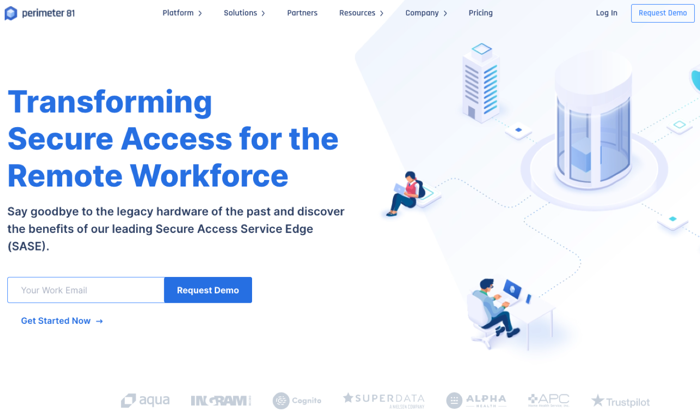
Perimeter 81 is an Israeli-based business VPN service that’s unique because of its Cloud VPN architecture. It’s great for users on multiple devices. You don’t need external legacy hardware or tools. It comes with the business features you’d need to run your remote organization safely in the cloud. 

Perimeter 81 is ideal for remote businesses because it protects your business from unexpected mistakes. Their automatic Wi-Fi Security and DNS Filtering features instantly shield your data by automatically activating VPN protection when employees connect to unknown, untrusted networks. According to their website, “All outbound and inbound traffic is encrypted and routed through your dedicated private servers – concealing your company’s actual IP address with an IP mask.”

This protection shields your company from man-in-the-middle attacks and unsecure Wi-Fi networks. Their service keeps your business safe from data breaches, lawsuits due to negligence, and other claims. Employee training is important, but Perimeter protects your employees and your business when they’re working. 

They also provide you with the data you need to monitor network activity. You can audit resource access, monitor bandwidth consumption, and detect network anomalies remotely and at any time. All of this is important because more organizations have a “bring your own device” (BYOD) policy in place.

The potential downside to Perimeter 81’s service is access points. As of today, they have 700 public servers in 36 countries. That might sound like a lot until you realize some of their competitors have double or triple that amount in twice as many countries. 

Pros

  • Single sign-on (SSO) functionality
  • User friendly and easy-to-use
  • Great for remote businesses
  • Auto-integrated with all cloud providers
  • Secure access to both managed and unmanaged devices

Cons

  • Higher price point
  • Fewer servers than their competitors

2. NordVPN Teams — New Service From Industry Leader

  • Pricing: $7 – $9 per mo. 
  • Number of servers: 5,000+
  • Money-back Guarantee: 30-day
  • Support: 24/7 response within 3 hrs.
  • Single sign-on: Yes
  • Multi-device support: Yes apps on all devices

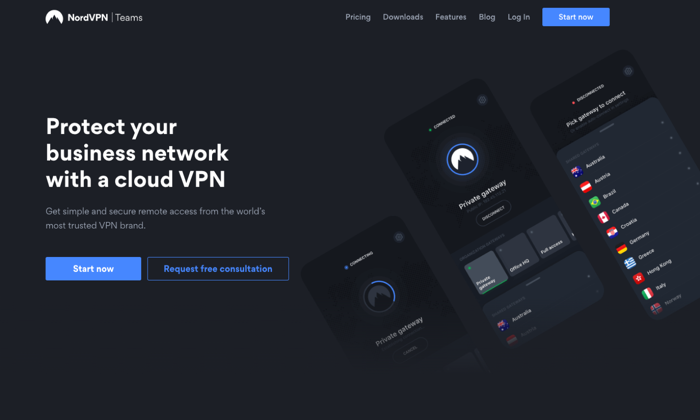
NordVPN Teams is a new VPN service from an industry leader. NordVPN is known for its consistent performance, a strong stance on privacy, and aggressive security features. The company is based in Panama, where there are no mandatory data retention laws and no legal obligation to collect your data. It’s also important because Panama doesn’t participate in the five eyes or fourteen eyes alliances. 

They don’t track, collect, or share your private data — activity, usage, or metadata. They invited one of the big four auditing firms PriceWaterhouseCoopers AG, to run an industry-first audit of their no logging claims to verify that they’re telling the truth.

NordVPN is one of the few providers that offers double VPN, an advanced VPN security feature that routes your traffic through two VPN servers instead of one, encrypting your data twice. They provide two-factor authentication and single sign-on, which are standard features for top-tier VPN services. They also provide you with a kill switch, if your connection drops for even a second, the kill switch will cut off all the Internet traffic on your device, ensuring none of your information is exposed online.

For business customers, they provide you with a dedicated account manager that’s assigned to your account. Your Control Panel enables you to manage user accounts, control permissions, and create gateways. You can oversee user activity, monitor server load, add new users, and create custom teams from inside your control panel. 

Pros

  • A trusted brand name
  • Thousands of servers around the world
  • Single sign-on (SSO) functionality
  • Strong on security
  • Apps on all devices
  • Fast speeds
  • Cryptocurrencies and cash accepted

Cons

  • Slow app and server connections
  • Open VPN connection is not user-friendly
  • No split tunneling
  • Shared IP addresses

3. ExpressVPN – Consumer Favorite, Best-in-Class 

  • Pricing: $8.32 per mo. (annual), $12.95 (monthly)
  • Number of servers: 3,000+
  • Money back Guarantee: 30-day
  • Support: 24/7 live chat
  • Multi-device support: Yes

ExpressVPN doesn’t have a product strictly designed for businesses. They’re consumer-focused, which is great if you’re a sole proprietor or a remote, contract, or freelance worker on your own. Their apps are compatible with almost every device on the usual platforms; they also have apps for nontraditional platforms, including— Linux, Kindle Fire, Chromebook, and even Barnes and Noble’s Nook! 

Since they’re consumer-focused, their apps are user-friendly, easy to set up, and simple to maintain. They provide you with all of the standard encryption and security features you’d expect from a top-rated VPN provider. And, they also provide you with some unique features like split-tunneling or using their own DNS servers. 

Like NordVPN, they have a no-logging policy as their company is based in the British Virgin Islands. There’s no mandated government surveillance and no data retention laws. 

Pros

  • Consumer-focused
  • User-friendly and easy-to-use
  • Apps available on all devices and platforms
  • Strong reputation
  • Top-rated security and encryption

Cons

  • No VPN services for businesses
  • More expensive than their competitors

4.  VyprVPN – The Best VPN for Speed

  • Pricing: $2.50 per mo. (24 mo. plan), $3.75 per mo. (12 mo. plan), $12.95 per mo. (1 mo. plan).
  • Number of servers: 700+
  • Money-back Guarantee: 30-day
  • Support: 24/7 response within 3 hrs
  • Privacy: end-to-end
  • Multi-device support: desktop and mobile

Owned by Golden Frog GmbH and incorporated in Switzerland, VyprVPN focuses on a few areas — speed, anti-censorship, and privacy. They call their service the “most powerful VPN.” They offer more than 200,000 IP addresses and 700+ servers, across 70 locations internationally. 

Their platform resolves speed issues due to ISP bandwidth throttling. It’s common for users to state that their speeds are close to 100% of their original speeds. This is impressive when you realize that they rely on AES 256-bit encryption. They provide users with unlimited switching between servers and protocols without restrictions. 

VyprVPN provides some of the same features listed from other providers — kill switch, public Wi-Fi protection, and DNS protection. But they also offer a proprietary technology called Chameleon. In this protocol, VyprVPN scrambles your metadata, so it’s not recognizable via deep packet inspection, but it’s still fast and lightweight. As a result, VyperVPN can bypass restrictions from governments, corporations, and ISPs while fighting censorship and maintaining speed. 

VyprVPN also owns and operates their data centers to reduce any risk of a data breach. Other VPN providers route traffic to third-party servers, so they’re not as secure as a service that keeps things in-house. VyprDNS keeps your browsing history private. Their no-logs policy makes a breach unlikely. 

Pros

  • Unlimited high-speed bandwidth
  • 70+ server locations
  • Chameleon protocol
  • 5 Simultaneous connections
  • No activity or usage logs
  • Fast customer support
  • VyprDNS
  • Self-owned servers

Cons

  • Fewer servers than bigger competitors
  • Poor speeds in specific regions (EU)
  • Slower connection times in specific regions

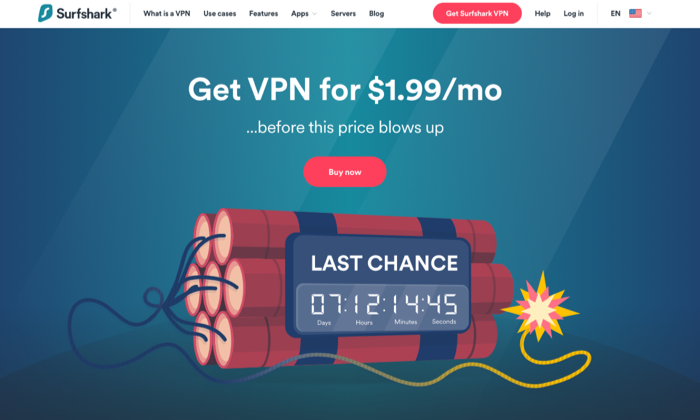
5. Surfshark – The Best for the Price

  • Pricing: $1.99 per mo. (24 mo.), $5.99 per mo. (12 mo.), $11.95 per mo. 
  • Number of servers: 1,700+
  • Money-back Guarantee: 30-day
  • Support: 24/7 live chat, email tickets
  • Multi-device support: Desktop and mobile platforms

Surfshark is an award winning VPN service that offers incredible value for the price. According to VPNMentor.com, SurfShark is ranked 4th out of 357 VPN services. Their service provides users with 256-bit encryption, double VPN, an automatic kill switch, and a no-log policy. 

They’re headquartered in the British Virgin Islands, so like other VPNs in our list, they’re free from the five, nine, fourteen eyes alliances. While they don’t collect usage or connection data, they do collect your email address, password, and basic billing information. If you’d like to avoid sharing this info, you can use cryptocurrencies like Bitcoin. They also collect unique advertising identifiers from third parties for marketing purposes and user analytics.

One detail that stands out with Surfshark is unlimited connections. The number of devices that can connect simultaneously, per license is unlimited. This is great if you’re an individual, but it’s also great if you’re running a business. There are no additional licenses or requirements once you’ve signed up. Just set your VPN up, pay for the service, and you’re all set. 

Surfshark offers its Adblock VPN that blocks advertising and malware, counters phishing attempts, and boosts browsing speed. They offer premium features like private DNS on each server, camouflage mode to mask activity from your ISP, and Multihop – connecting via multiple countries at the same time to maximize footprint masking and ID protection. 

Pros

  • Best value for the price
  • Unlimited connections/devices
  • Built-in ad-blocker
  • Whitelister
  • Private DNS
  • Double VPN
  • No logging
  • Engaged customer support

Cons

  • Medium-sized network
  • Moderately reduced speeds in specific regions

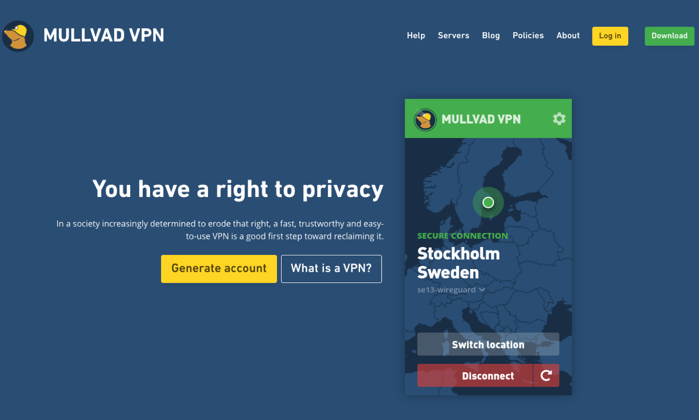
6. Mullvad – The Best for Anonymity

  • Pricing: $5.50 per mo.
  • Number of servers: 315+
  • Money-back Guarantee: 30-day
  • Support: Email

Mullvad believes privacy is a universal right.

Privacy isn’t the same as security. If you’re looking for a VPN service that will go to extreme lengths to protect your privacy,  Sweden-based Mullvad is at the top of the list. They don’t require an email address or even a password from their customers. The company randomly generates a unique code for your username. You use this code to log in to the desktop apps or add credit to your account. They even allow customers to send cash in the mail to pay for your account!

They want to know as little about you as possible.

Mullvad will store your account number, your counts, paid time remaining, and the number of simultaneous connections that are used by your account. This data is kept in temporary memory, then purged once you log off. They log the total number of current connections for a given server, the bandwidth used per server, and the CPU load per core on each server. None of these items contain personally identifiable information.

Mullvad only offers connections in 38 countries, and they only have 315 servers. They don’t use virtual servers, so your VPN connections are running on physical hardware at the location specified. The speed varies based on your location. If you’re in Europe or North America, speeds are generally good. If you’re in Australia or Asia, the performance is generally much slower.

Pros

  • Privacy-focused
  • Simple and user-friendly
  • WireGuard support
  • More anonymity than most VPN services
  • No affiliates or resellers

Cons

  • Focused exclusively on privacy
  • Slower speeds in certain locations
  • No password protection

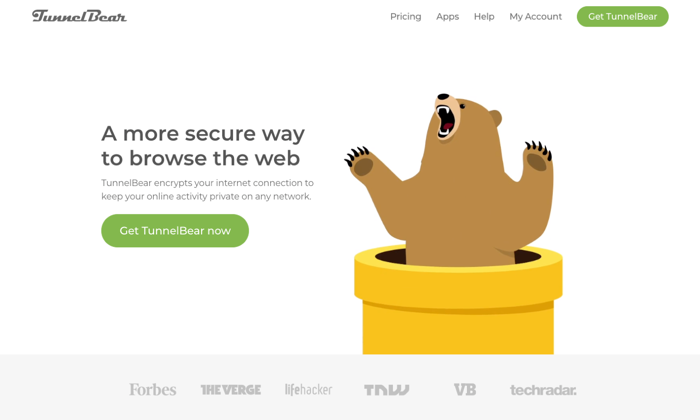
7. TunnelBear – The Best for Newbies

  • Pricing: Free, $3.33 per mo., $5.75 per user, per mo. for teams 
  • Number of servers: 20
  • Money-back Guarantee: 30-day
  • Support: 24/7 email support tickets
  • Multi-device support: Mac, Windows, iOS, and Android

TunnelBear’s service is designed to be incredibly simple for newbies.

They’re based out of Canada, which is a member of the five eyes, nine eyes, and fourteen eyes alliances. This means data that goes through or is stored in Canada is subject to intelligence agreements —they may be legally forced to share your data. TunnelBear states that they have a no-logging policy, so everything seems okay until you read this in their privacy policy. 

“TunnelBear makes good faith efforts to provide you with the ability to delete your Personal Data. However, there may be circumstances in which TunnelBear is unable to delete all your Personal Data. For example, we are unable to delete it where we are legally required to keep it, including where we need it to continue to offer you the service or if you are involved in litigation with us, we would be required to retain your personal data, which is limited to the fields we discuss above in 1.2, 1.3 and 1.4.”

This data includes your email address, twitter id, paid user designation, operational data, and personal and financial data. If this isn’t a concern for you or your organization, TunnelBear is a great option for individuals and businesses that want to get started with a VPN but aren’t as knowledgeable as they’d like. 

TunnelBear includes the standard features you need to get started with a VPN — AES 256-bit encryption, tunneling (Android only), hashing, and more. Their service is reasonably priced and designed to help inexperienced people get started with a VPN. 

TunnelBear is transparent about its service, sharing the results of its independent security audits each year on its website. 

Pros

  • Designed for inexperienced users
  • Generally open and transparent about their service
  • Low cost
  • Built for individuals and teams
  • Offers a free plan

Cons

  • May share your data with governments
  • No phone or customer support

Conclusion

Whether you’re a freelancer, an entrepreneur with a small team, or a growing business looking for options, a VPN will provide you with the security and peace of mind you need to keep your remote team connected and working safely. 

Your needs are unique, and they’ll dictate which VPN service will work best for you and your business. Weigh the options against your needs for speed, security, privacy, compatible devices and number of connects. Millions of people are working remotely, and that number continues to grow every day. If you’re not already using a VPN service, now’s a good time to start. 

The post Best VPN Services appeared first on Neil Patel.


from Blog – Neil Patel https://ift.tt/3beSyLI
via IFTTT