Video conferencing plays a crucial role in the business world. Whether it be for communicating with remote employees, clients, prospects, or team members at other locations, nearly everyone needs video conferencing software at one point or another.
In our personal lives, we use technology like Skype or Facetime to communicate with video. But that software isn’t sufficient enough for a large-scale video conference.
If you’re ready to take your conference calls to the next level with video, you need to read this guide.
I’ll explain everything you need to know about how to choose the best video conferencing service for your business. Regardless of your company size, industry, or conferencing needs, there’s definitely an option for you below.
The 8 Best Video Conferencing Services
There are hundreds of video conferencing choices on the market today. So finding the best one for your business can be overwhelming if you don’t know what to look for or where to start.
Fortunately, I’ve already done all of the research and heavy-lifting for you. I narrowed down and reviewed the top eight choices for video conferences. We’ll cover the top benefits, prices, and potential drawbacks of each option as we continue.
GoToMeeting

GoToMeeting is a top choice for video conferencing and conference room capabilities. The platform makes it easy for you to turn any video conference into a highly collaborative workspace.
This is one of the top video conferencing solutions for accommodating both remote workers and clients alike.
Another top benefit of GoToMeeting is its ability to integrate with the systems your business is currently using. It’s used by sales managers, business owners, and IT teams as well.
GoToMeeting also offers an all-in-one hardware and software kit for those of you who want to transform your physical conference room into a digital one. This hardware is more advanced than the built-in cameras, microphones, and speakers on your current devices.
Some other top features and benefits of using GoToMeeting for video conferencing include:
- Cloud collaboration
- Automatic bandwidth adjustments
- Available on Mac, PC, iOS, and Android
- Single-click start and join sessions
- Multi-channel support
- Integrated scheduling
Unlike the other platforms that we’ve reviewed so far, GoToMeeting has just two plans for you to choose from:
- Professional — $14 per month
- Business — $19 per month
The plans are very similar. GoToMeeting offers unlimited meetings and unlimited meeting durations with both options. You’ll also benefit from things like Salesforce integration, Slack meeting launcher, and an admin center with each.
The biggest difference between Professional and Business is that they can host up to 150 and 250 participants, respectively.
In addition to more participants, the Business plan gives you access to transcripts, keyboard and mouse sharing, unlimited cloud storage, and mobile cloud recording.
I think it’s a no-brainer to sign up for the Business option instead of Professional. The added benefits are worth the extra $5 per month.
GoToMeeting does offer enterprise-grade plans for up to 3,000 participants. But those prices aren’t available online. You’ll need to speak to a sales rep for a custom quote.
Save 16% on your GoToMeeting plan with an annual contract. You can try GoToMeeting for free with up to 250 participants for 14 days.
Zoom Meetings
Since launching in 2011, Zoom has quickly become an industry leader in the video conferencing space. The software is trusted by large businesses like Ticketmaster, Uber, Pandora, and GoDaddy, to name a few.
I like Zoom because of its simplicity and versatility. They have a plan for businesses of all shapes and sizes, including a free option.
Zoom has video conferencing capabilities with up to 1,000 participants, and up to 49 videos on the screen simultaneously.
The platform is secure, with role-based user security options, password protection, and waiting rooms. Zoom makes it easy for your team to collaborate with screen sharing, filing sharing, and other interactive features.
Zoom is modern, so naturally, the service can be accessed from a mobile app as well. This is perfect for participants who are on the go and unable to reach a computer for a meeting.
Here’s an overview of the different plans, features, and prices for Zoom Meetings:
Basic — Free
- Unlimited one on one meetings
- Up to 100 participants
- 40 minute limit on group meetings
- Unlimited number of meetings
Pro — $14.99 per month per host
- All basic features
- 24 hour meeting limit
- User management tools
- Admin feature controls
- Reporting tools
- 1 GB of cloud recording
Business — $19.99 per month per host
- All Pro features
- Minimum 10 hosts
- Up to 300 participants
- Dedicated phone support
- Company branding
- Cloud recording transcripts
- Admin dashboard
Enterprise — $19.99 per month per host
- All Business features
- Minimum 50 hosts
- Up to 1,000 participants
- Unlimited cloud storage
- Dedicated customer support manager
- Executive business reviews
- Bundle discounts available for Zoom Rooms and webinars
As you can see, there is a plan for everyone. The free option is an excellent choice for an entrepreneur or freelancer who only needs to video chat once in a while for brief meetings.
Beyond personal use, you’ll need to upgrade to the Pro or Business plans to get the most out of Zoom Meetings. Fortunately, Zoom makes it easy for you to scale to another plan as your company grows.
Just be aware that your plan will impact the level of customer support you receive. To get premium support, you’ll need to upgrade.
Cisco Webex
Cisco is a brand name that’s synonymous with superior technology. So it should be no surprise that Cisco Webex ranks so highly on our list for video conferencing software.
With Webex, you can host massive virtual events with up to 100,000 participants and run an interactive webinar for 3,000-person audiences.
Cisco Webex is perfect if you need to run on-demand training lessons for large groups as well. This is a great tool for onboarding employees at scale throughout multiple locations.
The Webex mobile app is another standout feature of the platform. Hosting and joining meetings are both simple and accessible from anywhere.
Cisco Webex is built for teams. Arguably the best part about this video conferencing software is the cloud collaboration features. It’s easy to share files and screens with other meeting participants to stay organized and make the conference more interactive.
Cisco offers four different plans for you to choose from, including a basic free option.
Free — $0 per month
- Up to 50 participants
- 40 minute limit on meetings
- Unlimited meetings
- 1 GB of cloud storage
Starter — $16.95 per month per host
- Up to 50 participants
- Unlimited meeting duration
- 5 GB of cloud storage
- Recording transcriptions
- User management
- Application and file sharing
Plus — $22.95 per month per host
- Up to 100 participants
- Assign alternate hosts
- Allow others to schedule meetings for the host
- Customizable Webex URL
- Admin portal
- 24/7 customer support
Business — $32.95 per month per host
- Up to 200 participants
- 10 GB of cloud storage
- Branding and custom options
- Single sign-on
- Active directory sync
- Minimum five licenses per month
At first glance, the Cisco Webex prices appear to be higher than Zoom Meetings. However, you can save 20% per month with an annual contract.
It’s also worth noting that the Webex Plus plan doesn’t have any host minimums, and the business plan has just a five license minimum. Zoom has a 10 and 50 host minimum for their plans at similar price points.
So Cisco Webex will be a better option if you want those business or enterprise-level features for a smaller team.
Microsoft Teams
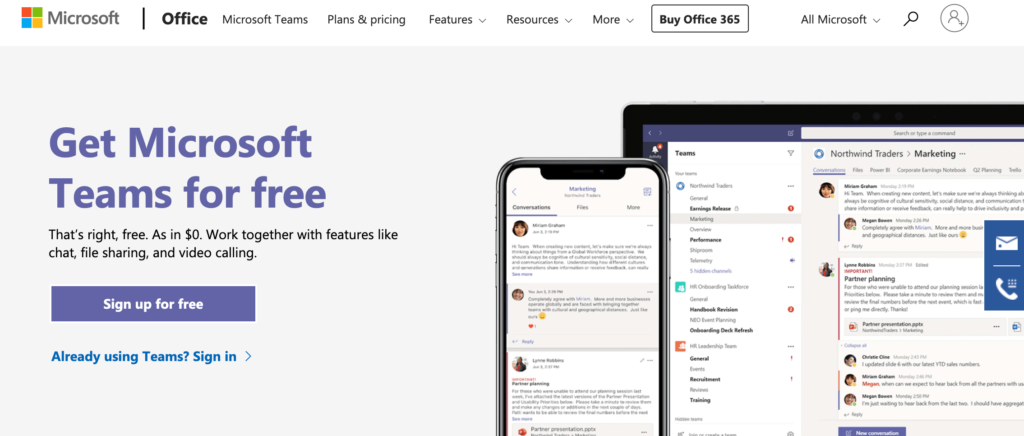
Microsoft Teams is business a messaging solution with video capability offered by Microsoft. The platform is designed specifically for internal communication in the workplace.
With chat, audio, and video capabilities for group sizes of 10 or 10,000, Microsoft Teams is the ultimate in-house communication solution.
Slack is a direct competitor of Microsoft Teams. But Microsoft Teams shines with its superior technology and video conferencing features. However, the setup, usage, and onboarding are a bit more complex. So just be aware of that ahead of time.
Microsoft Teams is best when it’s accessed from a desktop device or web app. They do have a mobile application, but overall the web version is easier to navigate.
Here’s a quick overview of the plans and pricing:
- Microsoft Teams — Free
- Office 365 Business Premium — $12.50 per user per month
- Office 365 E3 — $20 per user per month
Both paid plans are only available with an annual contract. The Free plan and entry-level paid plan both have a limit of 300 users, while the Office 365 E3 option is unlimited.
You’ll still have access to quite a bit of features with the free version, including video calls. But you’ll need Office 365 Business Premium to get the most out of this software.
Paid plans have 140+ app integrations, 1 TB of storage, scheduled meetings, meeting recordings, and administrative support.
The biggest downside of Microsoft Teams is that it’s limited. It’s not really a true video conferencing service. Instead, it’s better for one-on-one video meetings or smaller groups.
If you want to host large-scale video conferences and make presentations to clients, you should look elsewhere for a more suitable solution.
Zoho Meetings
Zoho Meetings is arguably the most straightforward video conferencing solution on the market today. Instead of overwhelming you with different features and pricing options, there is just one plan for video meetings.
Pricing is simple; it’s $10 per month per user, or $8 per month for an annual contract.
The plan comes with everything you need in a video conferencing service. However, it’s limited to just 100 participants per meeting and storage of up to 10 recordings.
This isn’t enterprise-grade software by any stretch of the imagination, but it’s an affordable and suitable choice for lots of small business owners.
Some of ZohoMeetings’ top features include:
- RSVP scheduling
- Screen sharing
- Moderator controls
- Embed meeting links
- In-session chat
- Lock meetings
You’ll also have the ability to switch a presenter, give someone control, and remove users from a video conference.
As expected, Zoho Meetings integrates seamlessly with Zoho CRM. So if you’re already using a Zoho product, this will be a top option for you to consider.
While Zoho Meetings isn’t the most extensive video conferencing service out there, it’s a high-quality solution for small business owners who just need basic features.
ClickMeeting
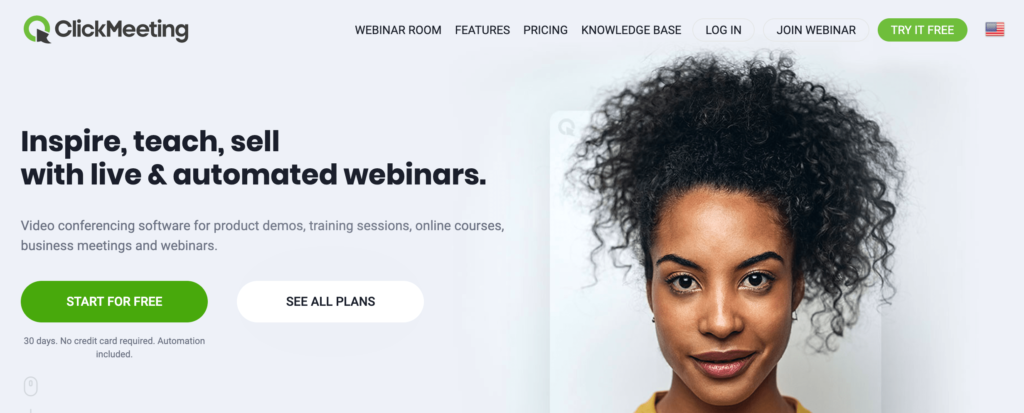
ClickMeeting is a bit different compared to some of the other video conferencing services that we’ve reviewed so far. This platform has a specific standout—webinars.
It’s a great option for those of you who want to hold large online events, market your products with video demonstrations, and host online courses or training sessions with live video.
Of course, ClickMeeting does offer traditional video conferencing solutions for team meetings and business collaboration, but that’s all you need then I’d probably lean towards another option on our list.
Pricing for ClickMeeting is complicated. There are two plans, but the prices are based on how many webinar attendees you want to have.
Here’s an overview of those price points per month for each plan:
Live
- Up to 25 — $30
- Up to 50 — $45
- Up to 100 — $79
- Up to 200 — $149
- Up to 500 — $179
- Up to 1,000 — $309
Automated
- Up to 25 — $45
- Up to 50 — $55
- Up to 100 — $95
- Up to 200 — $179
- Up to 500 — $229
- Up to 1,000 — $359
For video conferences with more than 1,000 attendees, contact the ClickMeeting sales team for a custom enterprise solution.
You can try ClickMeeting free for 30 days and run webinars with up to 25 attendees to try it out. Save up to 20% off your with annual billing instead of a month-to-month contract.
The Automated plan is your best option for broadcasting professional video webinars. This plan comes with advanced features like auto-streaming to Facebook or YouTube, automated follow-up emails to attendees, Google Analytics integration, and certificates of attendance.
As you can see, ClickMeeting is definitely pricey compared to the other options on our list, which is why I wouldn’t recommend it for just basic video conferencing use. But the price is worth it if you’re planning to use the webinar features.
Join.me
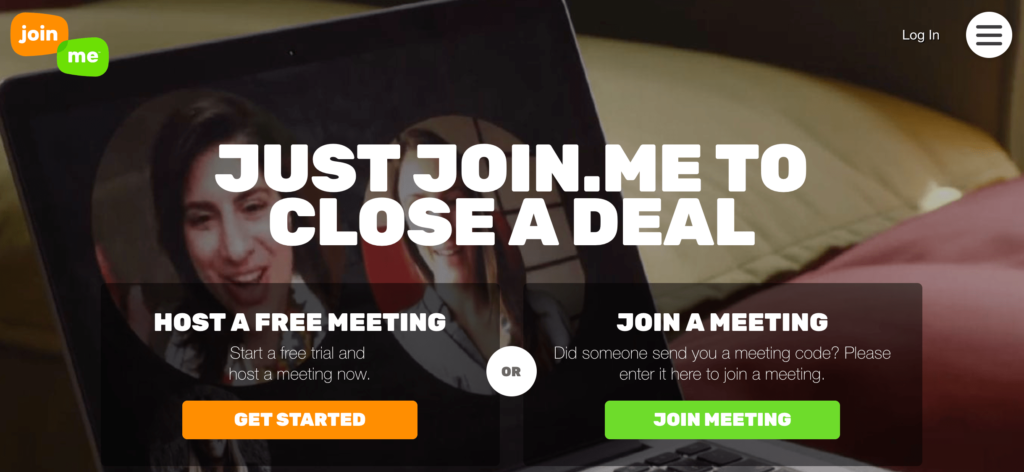
Millions of people use Join.me for video conferencing. The platform offers solutions for individuals, teams, and businesses. From startups to Fortune 500 companies, Join.me is a popular choice.
The website boasts its best-known customers like like TOMS, Foursquare, OpenTable, and Pinterest.
Join.me is easy. The signup process is as quick as it gets. There’s no need to consult with a sales representative or get a custom quote. Just visit their website, and you can start a call in minutes.
To start a new video conference, simply invite others to “join” your meeting (hence the name). You can invite people via email or with a custom link.
With Join.me, you can customize the video conferencing background, customize the URL, and share your screen with just one click. You can invite people to your meeting even if they aren’t already using the Join.me platform.
Here’s an overview of the plans and pricing options:
Lite — $10 per month per user
- Up to 5 participants per meeting
- No video streams*
- Unlimited meetings
- No time limits
- Personal link and custom background
Pro — $20 per month per user
- Up to 250 participants per meeting
- Up to 10 video streams
- Recording capabilities
- 50 GB of cloud storage
- Meeting scheduling
Business — $30 per month per user
- Up to 250 participants per meeting
- 1 TB of cloud storage
- Bulk user import
- Feature permissions
- Enterprise authentication
- Salesforce integration
Unfortunately, the Lite plan doesn’t include video conferencing, so you can skip over that one. It’s also worth noting that all plans are offered with an annual contract only. Month-to-month plans are unavailable.
However, you can try Join.me free with a 14-day free trial.
Compared to other options on the list, Join.me is a bit limited in terms of meeting participants and the number of video streams per meeting. But it’s a fine option for those of you who won’t need more than ten simultaneous video streams per conference.
RingCentral Meetings
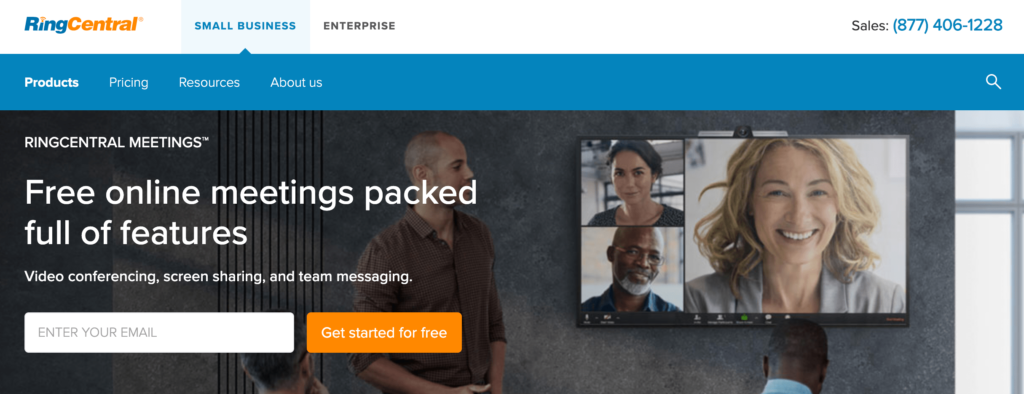
RingCentral is more than just a video conferencing platform. It’s also a VoIP business phone service.
With RingCentral, you can ditch your traditional business phone plan for a more modern solution. If you have the phone plan, you’ll get video conferencing features as an added bonus.
But you can always purchase RingCentral Meetings as a standalone product. For the purpose of this review, those are the plans that we’ll focus on.
Free — $0 per month
- Up to 100 participants
- Unlimited one on one meetings
- 40-minute limit on group meetings
Essentials — $14.99 per month per user
- Up to 100 participants
- Unlimited group meetings
- 24/7 phone support
- 1,000 call minutes per license
Advanced — $19.99 per month per user
- Up to 100 participants
- 2,500 call minutes
- Real-time usage dashboard
- SLA available
The free plan is actually pretty decent if you compare it to others on the list. While you’re capped at 40 minutes per meeting, you can still have up to 100 participants.
At the same time, the paid plans are also limited to just 100 participants, which is low compared to the competition. However, you can add-on larger meeting options to your plan for an upcharge.
RingCentral also has great enterprise solutions. You’ll need to contact their sales team to get a custom quote. But you can save some money by bundling RingCentral Meetings with a VoIP business phone.
How to Find the Best Video Conferencing Services
Now that you’ve had a chance to review the top solutions on the market, how can you find the best option for your unique situation? This is the methodology that I used to come up with this guide.
I’ve identified each feature set that matters the most and why you need to take it into consideration when you’re evaluating prospective platforms.
Conference Size
Every video conferencing plan has some limit on the number of participants who can join a meeting. This can be as 25 or as high as 100,000.
Make sure you choose a service and plan that can accommodate the number of people you need for your video conferences. You don’t want to overpay for a plan that has participant limits that you’ll never reach. But more importantly, you don’t want to be in a situation where your participant list is too large for your platform and plan.
Video Streams
You might be able to have a large number of participants in a conference, but that doesn’t necessarily mean that every user will be able to broadcast a video stream.
For example, RingCentral plans have up to 100 participants per meeting, but limit you to just ten simultaneous video streams.
So don’t be swayed by the participant limits alone. Always check to see how many users can actually stream a video at the same time.
Collaboration Tools
Collaboration tools are crucial for groups and teams.
Features like screen sharing, built-in chat, file sharing, and cloud collaboration is very useful for presentations and group projects. It’s also helpful when a video conferencing service integrates with existing tools and platforms that you’re already using to run a business. You can look for features like Salesforce integration or Google Analytics integration.
Price
Obviously, the cost will play a roll in your decision-making process.
For the most part, video conferencing services are billed on a monthly basis per user. Prices typically fall in the $10 to $40 range per month per user for traditional video conferencing. However, you can pay significantly more than that for advanced features like video conference webinars. Solutions like ClickMeeting has plans starting at over $300 per month.
Conclusion
Take your virtual meetings to the next level with video conferencing software.
What’s the best video conference service on the market? The answer depends on who you ask and what you’re looking for. Here’s a quick recap of the platforms reviewed above.
- GoToMeeting — Best video conferencing service for small business.
- Zoom Meetings — Best video conferencing service for scalability.
- Cisco Webex — Best video conferencing software for cloud collaboration.
- Microsoft Teams — Best video conferencing software for internal communication.
- Zoho Meetings — Affordable video conferencing service with basic features.
- ClickMeeting — Best video conferencing software for webinars.
- Join.me — Annual contract video conferencing plans for small meetings.
- RingCentral — Best video conferencing service with VoIP business phone plans.
Based on this guide, I’m confident that you can find the best choice for your business. No matter how unique your situation might be, these options can accommodate your needs.

from Quick Sprout https://ift.tt/363MqlY
via
IFTTT
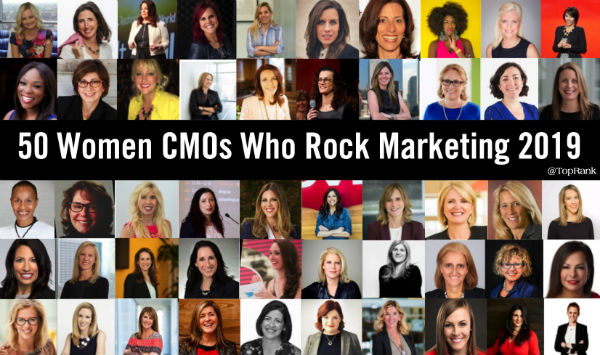
 In recent years headlines like ‘Men twice as likely to be CMOs than women’ were pretty common. If you've worked in marketing for any length of time, you know that the role of CMO is already associated with high demands and turnover. Some might argue that women in CMO roles face an even greater challenge given their underrepresentation in marketing leadership despite the marketing industry being overwhelmingly female. While women are underrepresented as CMOs, there's research that shows women in CMO roles are paid better (on average) than their male peers. Even more promising is that "Nearly half the marketing leadership hires in the first six months of 2019 were women". You might be wondering why am I writing about women marketing? For the past 10 years I have been tracking rising stars in the marketing world and recognizing social influencers in the marketing space with an annual list: Women Who Rock in Marketing. That list started in 2010 when I was recognized on a list of social media rockstars with few if any women on it. That seemed strange. So, I made a list of 25 women I knew in marketing that were rocking social media. Every year since, a list has been published recognizing women in marketing, inspiring many reactions, conversations and hopefully, even change. While there have been a few variations on selection, sorting and author, (Ashley Zeckman published the list for 2 years), for the most part every year I've asked the previous year's honorees to nominate a peer. Nominees were reviewed, sorted and the list published. My goal for these lists is to shine a light on talent and create awareness amongst marketers. It has been incredibly satisfying to learn about the impressive capabilities and accomplishments of these marketing leaders. Last year we had a CMO who was also an opera singer, a social media executive who once worked with Mother Theresa and an Olympic athlete who created a program to inspire thousands of young people. It has been great to see that many of the women have been recognized by their companies and industry with several having advanced over the years to take on senior marketing roles like Chief Marketing Officer.
  Alicia Tillman @aliciatillman Global CMO at SAP /in/altillman/ Alison Wagonfeld @awagonfeld CMO, VP, Marketing at Google Cloud /in/alisonwagonfeld/ Allison Dew @alliedewsays CMO, EVP at Dell /in/allison-dew-45875035/ Alyson Griffin @alyson_griffin Vice President Global Marketing at Intel /in/alyson-griffin-2820514/ Amanda Jobbins @amandajobbins CMO for EMEA, APAC and Japan at Oracle /in/amandastljobbins/ Andrea Zahumensky @Andreazahumensk CMO at KFC US /in/andrea-zahumensky-aa70b65/ Ann Lewnes @alewnes CMO, EVP at Adobe /in/annlewnes/
  Bozoma Saint John @badassboz CMO at ENDEAVOR /in/bozoma-saint-john-0305441/ Carolyn Everson @ceverson VP, Global Marketing Solutions at Facebook /in/carolyn-everson-8633479/ Danna Vetter @dannavetter Chief Marketer at Milliken & Company /in/danna-vetter-4065254/ Dara J Treseder @daratreseder CMO at Carbon /in/daratreseder/ Dawn T Keller @dawntv94 VP, Head of Digital at Krispy Kreme /in/dawntevekeliankeller/ Dawna Olsen @DawnaOlsen CMO at SYSPRO USA /in/dawnaolsen/ Deborah Wahl @DeborahWahl CMO, Global at Cadillac /in/deborahlwahl/
  Dee Mc Laughlin @deemclaughlin SVP, Global Brand & Creative at Capital Group / American Funds /in/deemclaughlin/ Deirdre Bigley @DeirdreBigley CMO at Bloomberg LP /in/deirdrebigley/ Denise Karkos @dckarkos CMO at SiriusXM /in/denise-karkos-b2ab973/ Diana O'Brien @DianaMOBrien CMO, Global at Deloitte /in/dianaobrien/ Ellie Mirman @ellieeille CMO at Crayon /in/elliemirman/ Jacqui Murphy @jacquimurphy CMO at Auvik Networks Inc. /in/jacquimurphy/ Jeanine Liburd @JeanineLiburd CMO, Chief Commuications Officer at BET Networks (a subsidiary of Viacom Inc.) /in/jeanine-liburd-7b654a156/
  Jeanne Hopkins @jeannehopkins CMO at Lola /in/jeannehopkins/ Jeanniey Mullen @jeanniey_ Chief Innovation and Marketing Officer at DailyPay /in/jeanniey/ Jenn Steele @jennsteele CMO at Madison Logic /in/jennsteele/ Jennifer Johnson @jj_cmo CMO at Tenable /in/jjcmo/ Jennifer Sey @JenniferSey CMO, Global Brands at Levi Strauss & Co. /in/jennifer-sey-6516731/ Jill Gregory @jillgregory6 CMO, EVP at NASCAR /in/jill-gregory-b32581a/ Karen Walker @KarMWalker CMO at Cisco /in/karenmwalker/
  Kathy Button Bell @Emerson_KathyBB Senior Vice President, Chief Marketing Officer at Emerson /in/kathybuttonbell/ Kellyn Smith Kenny @KellynKenny CMO at Hilton /in/kellyn/ Kim Salem-Jackson @ksalem09 Global VP, Marketing at Akamai Technologies /in/kimsalem/ Kristin Lemkau @klemkau CMO at JPMorgan Chase /in/kristin-lemkau-ab8b4b88/ Lauren Mead @LaurLeMe CMO at TimeTrade /in/laurenmead/ Lauren Wagner Boyman @lboymanms CMO at Morgan Stanley Wealth Management /in/laurenboyman/ Leslie Berland @leslieberland CMO, Head of People at Twitter /in/leslie-berland-1741781/
  Linda Boff @lindaboff CMO at GE /in/lindaboff/ Lorraine Twohill @LorraineTwohill CMO at Google /in/lorraine-twohill-ba3a56185/ Lynne Biggar @LynneBiggar CMO, Chief Communications Officer at Visa /in/lynnebiggar/ Lynne Jarman-Johnson @MoJoCMO CMO at Consumers Credit Union /in/lynnejjohnson/ Maria Winans @MariaWinans CMO, North America Marketing at IBM /in/maria-bartolome-winans-41008014/ Marisa Thalberg @executivemoms Global Chief Brand Officer at Taco Bell /in/marisathalberg/ Mary Beech @MaryBeech1 EVP and CMO at Kate Spade New York /in/maryrennerbeech/
  Meg Goldthwaite @MegZGold CMO at National Public Radio /in/meg-galloway-goldthwaite-she-her-87a80b3/ Monique Bonner @mobonner CMO at Akamai Technologies /in/mobonner/ Morgan Flatley @morgsf CMO, US at McDonald's /in/morgan-flatley-a36b273a/ Paige ONeill @paige_oneill CMO at Sitecore /in/paigeoneill/ Penny Baldwin @pennyrbaldwin CMO, SVP at Qualcomm /in/pennybaldwin/ Sarah Kennedy Ellis @saykay CMO at Marketo, An Adobe Company /in/saykay/ Shannon Sullivan Duffy @sullytoduffy SVP, Product Marketing at Salesforce /in/shannonduffy/
  Tifenn Dano Kwan @danokwan CMO at SAP Ariba /in/tifenndano/ Thank you to Lane Ellis for providing some research help with this list. We can do better. Despite gains in hiring and compensation of women in senior marketing roles, the ANA CMO scorecard reports that "companies remain woefully behind when it comes to promoting people of color to top marketing jobs. Only 13 percent of the top jobs are held by people of color, including 5 percent Asian, 5 percent Hispanic/Latin and 3 percent black." There is some progress but much more to be made. Whatever companies can do to remove barriers to marketing talent rising into leadership positions is an investment in the success of the business. I am thankful for the incredible contributions this group of marketing leaders has made to move our industry forward and am optimistic about continued momentum into the new year. Who would you add to this list for 2020? To see the past 9 years of Women Who Rock in Marketing lists, visit the posts below:


 Oracle Content and Experience is excited and proud to announce another year, our 10th year as a leader in the Gartner Magic Quadrant for Web Content Management. This space has continually evolved to include a much broader reach for content, including creation, site management features, complex API’s, personalization, and digital asset management. Throughout that evolution Oracle has remained committed to listening to our customers and the market to ensure OCE would stay ahead of the innovation curve, provide the best of breed platform to the market and ensure their leader position in the Magic Quadrant.


