Tuesday, June 29, 2021

Northwest Registered Agent Review

Northwest Registered Agent is an industry leader in the business formation space.

Don’t let the name mislead you. In addition to registered agent services, Northwest Registered Agent provides an extensive list of business services across all 50 states.

The company is known for its exceptional customer service. This is largely due to the fact that Northwest Registered Agent is family-owned and operated. While the organization has grown to employ over 200 customer service reps nationwide, they still maintain the same “small business” principles.

Compared to other business formation services on the web, Northwest Registered Agent is really unique. They don’t have any investors or partners, and they go above and beyond to protect your privacy.

If you’re looking for a cost-effective and reliable service to form your LLC or corporation, Northwest Registered Agent should be a top consideration.

Is Northwest Registered Agent right for you? Continue reading to learn more about the services, plans, pricing, and read real reviews from existing customers.

Get started with Northwest Registered Agent today.

Northwest Registered Agent Business Formation Services

Northwest Registered Agent is best known for its business formation services. These offerings can be segmented into three main categories—LLC services, incorporation services, and registered agent services.

We’ll take a closer look at each one of these with an in-depth review of the services below.

Northwest Registered Agent LLC Services

Northwest Registered Agent makes it easy for anyone to form an LLC, regardless of your location. While the LLC formation process is generally the same across the country, each state has a specific filing process.

After you select a state, they’ll walk you through the specifics for your location.

For example, here’s what you’ll see if you want to start an LLC in California:
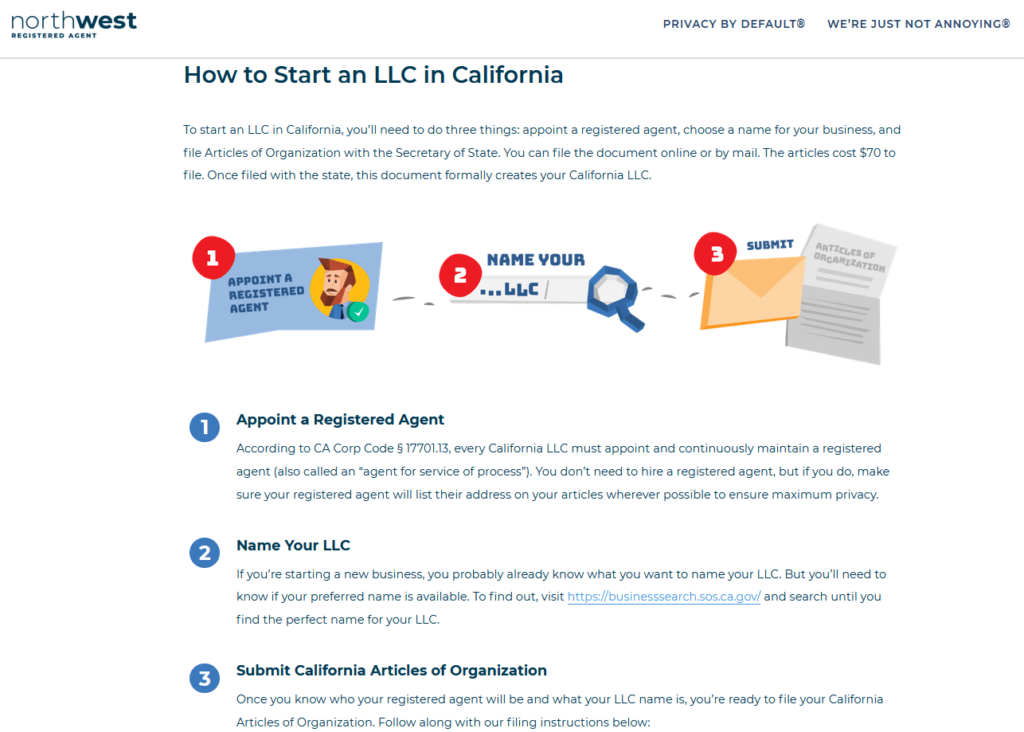
Northwest Registered Agent provides a detailed explanation of each step for anyone who wants to register an LLC on their own. You can even download the documents for free and follow the instructions to do it yourself online.

So if you’re a DIY type of person, you’ll love this option. Even if you’ve never gone through the process before, the instructions provided are very straightforward.

With that said, Northwest Registered Agent can take care of the entire filing process on your behalf. Most people take advantage of this service as opposed to doing it on their own.

There are two paths to choose from—their regular formation service and their VIP Service.

With the regular service, you get walked through a couple easy steps, including the business name you want, contact info, and membership information. Early on, you can even select standard filing time or express filing. For regular formation, select “Pay Up Front” under “How Do You Want To Be Billed?”

This starts at $225 ($100 for the filing and $125 for registered agent services), plus state fees.

Before payment, you’ll have the option of adding on additional services:

  • EIN (tax ID) — $50
  • Premium mail forwarding (digital scan or physical forward) — $40
  • Virtual office — $49
  • Certificate of Good Standing — Fee varies by state
  • Certified copy of LLC documents (with state seal) — Fee varies by state
  • FMCSA BOC-3 filing — $125
  • FCC 499-A registration — $125

They even offer apostilles (for doing business in a foreign country) and a second telephone number. Depending on the state, you can expedite the filing process for an upcharge as well. You’ll definitely need the EIN, but most of you will likely be able to skip the other extras.

Once you finalize the order, the professional filers at Northwest Registered Agent will immediately begin reviewing your information. If there’s an error or they have any questions, you’ll get a phone call ASAP for a resolution.

You’ll be able to track the status of the order directly from your online account. Northwest Registered Agent will also send you email updates to keep you informed.

You can sign up for VIP Service from Northwest Registered Agent at the beginner of the LLC formation wizard. Just select “Pay Monthly” under “How Do You Want To Be Billed?” and you’ll see the state filing fee, filing service fee, registered agent, and EIN are all included for a low monthly fee that varies from state to state.

Basically, you pay Northwest Registered Agent back for the total fees incurred in filing in smaller chunks.

You cannot select optional add-ons a la carte, like you can with the regular LLC formation service. But the VIP Service includes everything important:

  • Registered agent
  • EIN
  • Business address
  • Operating agreement/bylaws
  • Banking resolution
  • Limited mail forwarding

The VIP Service is also a great way to keep registered agent services beyond year one at a reasonable price.


Overall, Northwest Registered Agent will be an excellent option for anyone who wants to form an LLC. Whether you want to do it alone or hire Northwest Registered Agent to handle everything for you, they have what you need to succeed.

Northwest Registered Agent Incorporation Services

The incorporation services from Northwest Registered Agent are extremely popular as well. If you’re new to this, the website has tons of resources and detailed information about the different types of corporations and processes for getting started.

Similar to the LLC services, you’ll get state-specific guidance when you use Northwest Registered Agent to incorporate your business.

They give you the option to download incorporation documents and do it yourself online for free. While it’s nice to have this option, most people choose to hire Northwest Registered Agent to handle everything for them.
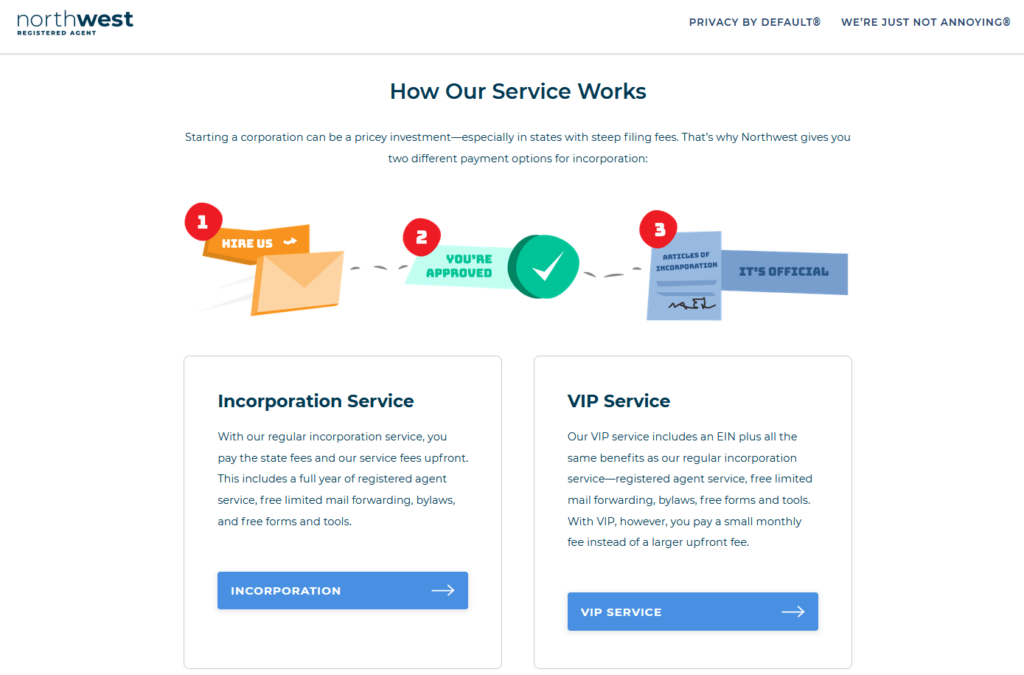
You can use Northwest Registered Agent to start a C corporation, S corporation, or nonprofit corporation. The incorporation services follow the same formation plan structure as LLCs—you can choose to pay up front to use their regular service starting at $225 plus state fees. Through that, you can add on essentials like an EIN for $50 or other useful but not necessarily vital extras.

The VIP Service includes filing service fees, state filing fees, registered agent services, and an EIN all for a palatable monthly price that depends on the state you’re filing in. You simply pay monthly to Northwest Registered Agent to spread out the expense of filing and to keep registered agent services on hand.

Whether you’re forming a C-corp, S-corp, or nonprofit, Northwest Registered Agent can get you up and running in no time at all.

Registered Agent Services from Northwest Registered Agent

As you can imagine (based on the name), Northwest Registered Agent is known for its registered agent services. Compared to other registered agents on the market today, these services are second to none.

The service is offered in all 50 states.
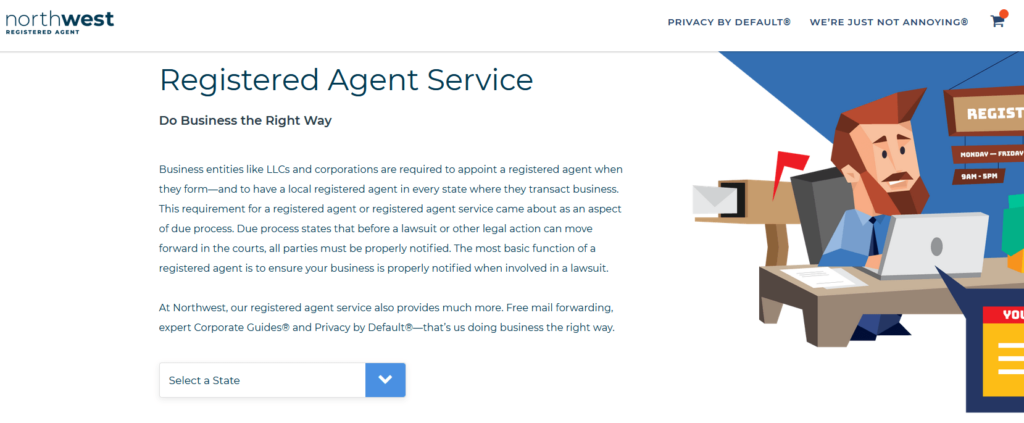
Northwest Registered Agent goes above and beyond what’s required of a registered agent. They provide all of the basic services like:

  • A physical address in your state
  • Availability during regular business hours
  • Accepting service of process on behalf of your business

But they also offer premium services at no additional cost, including:

  • Corporate Guides (local experts to answer questions and provide assistance)
  • State compliance notifications
  • Pre-filled state-specific forms for fast and easy filing
  • Same-day local scans
  • Free mail forwarding
  • Secure online access and document storage

It’s the best registered agent service for LLCs and corporations on the web. The service costs $125 per year and it comes standard with every business formation package. They also offer bulk discounts. If you need the service in five or more states, the rate drops down to $100 per year.

For those of you who already have an existing business, Northwest Registered Agent makes it easy for you to switch registered agents if you want to benefit from their exceptional service.

With “registered agent” in the business name, this shouldn’t come as much of a surprise.

Overall Pricing and Value

Northwest Registered Agent provides transparent pricing on all of its services. Whether you’re forming an LLC or corporation, the base cost remains the same. They charge $100 + state fees for the filing service and $125 for the registered agent service.

Unlike other business formation services on the web, the registered agent service is not optional. Even though it’s listed as a separate line item on your order, you can’t remove it and get a registered agent elsewhere (although I don’t see why you’d want to).

They don’t offer different pricing tiers or bundles either. Just pay the base rate, and then other add-on services as needed. Popular extras include:

  • EIN (tax ID) — $50
  • Certified copy of documents — $109
  • Premium mail forwarding — $40
  • Virtual office — $49
  • Certificate of Good Standing — Cost varies by state
  • FMCSA BOC-3 filing — $125
  • FCC 499-A registration — $125

Generally speaking, Northwest Registered Agent is not one of the cheapest business formation services you’ll find on the web. This is especially true when you start adding upsells to your order.

With that said, you’re paying for better value. If you just look at the prices and compare Northwest Registered Agent to the entry-level plan of a competitor, the starting rates might seem high. But when you start to compare those packages side-by-side, you’ll see that Northwest Registered Agent provides the most bang for your buck.

Of course, you can also go with the VIP Service, which packages together filing fees, EIN, and registered agent services into a monthly bill. This can vary a lot from state to state (as you’re basically paying Northwest Registered Agent back month to month), but several states are as low as $30 to $40 per month for both LLCs and corporations.

Additionally, Northwest Registered Agent has free services as well. If you want to register your LLC or corporation on your own, you can do it directly from their website. They’ll walk you through the process and even provide you with free state-specific documents.

User Experience

The user experience with Northwest Registered Agent can be described in one word—simple.

Everything is transparent and straightforward. The website is clean, easy to navigate, and lets you get started quickly. Once you select your state and entity type, Northwest Registered Agent automatically provides you with state-specific information. It even includes details about the tax rates for your state, documentation required for opening a bank account, and more.

One of my favorite parts about the user experience is that you can skip ahead to view other sections of the form as you’re signing up and going through the process.
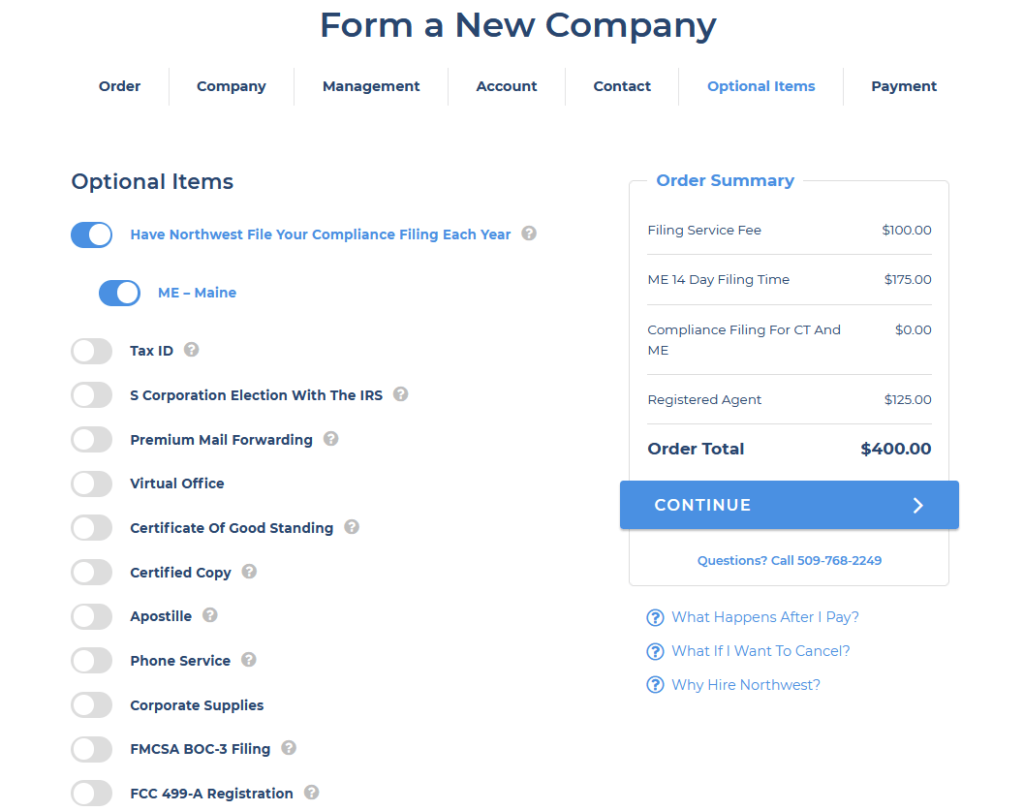
Most business formation services force you to create an account and provide certain details about your company before you move on to the next step. But Northwest Registered Agent doesn’t impose these restrictions.

So, you can skip ahead to see the total cost of your order, including the add-ons and state fees, before creating the account. Other services on the web aren’t as transparent, and try to sneak this information in at the end when it’s time to pay (after you’ve already spent a ton of time filling out forms).

From start to finish, you can complete the process in less than ten minutes.

Customer Support

Northwest Registered Agent’s customer service is unmatched—period.

When you call, someone answers. They don’t have phone trees, so the agent you speak with will be able to assist you without having to transfer you to someone else or another department. If you reach their voicemail, they’ll return your call within two hours. You’ll never get a “no-reply” email from them, so you can always reach a representative via email if you have a question. All emails are answered on the same business day. The entire support operation is 100% US-based.

All of the business formation and registered agent services come with Corporate Guides. These are business experts located throughout the country, with local insights related to your business. If you have a question, they can provide an answer.

As a family-owned and operated business, Northwest Registered Agent doesn’t have any partnerships or investors, and they’ll never sell your data to third parties.

They won’t let payments get in the way of providing exceptional service. Northwest Registered Agent understands that mistakes happen, especially when it comes to online payments. That’s why they never charge a late fee.

In short, their customer support is top-notch. I can’t emphasize this enough. If you don’t believe me, just give them a call or send them an email with a general inquiry—you’ll be impressed.

Final Verdict

At the end of the day, we can confidently recommend Northwest Registered Agent. In addition to the registered agent services, it’s a great option for anyone looking to form an LLC or incorporate.

They offer fair and transparent pricing, accompanied by exceptional customer service.

Even if you want to file your formation documents on your own, Northwest Registered Agent provides free document downloads and walks you through the process at no cost.

It’s tough to find anything negative to say about these services.


from Quick Sprout https://ift.tt/3qBbCM0
via IFTTT

Monday, June 28, 2021

How to Start a Dropshipping Business

Like any business venture, running an ecommerce store isn’t easy.

But with dropshipping, you can sell products online without ever touching the inventory.

No manufacturing, no storage, no shipping labels—you don’t even need to pay for the goods upfront.

You can run a dropshipping business from your couch with minimal overhead and collect profits without worrying about complicated logistics.

This guide will teach you everything you need to know about starting a dropshipping business—even as a complete beginner.

The Easy Parts of Starting a Dropshipping Business

The easiest part about starting a dropshipping business is setting up your online store.

All of the best ecommerce platforms support dropshipping. So if you have no experience building a website, you can get up and running with an ecommerce platform in a matter of minutes. Shopify has everything you need to create an online store out of the box.

It’s just a matter of selecting a template and customizing the site with your own content.

Your ecommerce platform should integrate seamlessly with your dropshipping provider as well. So your product catalog, inventory, and even product images can be automatically updated on your website.

Another easy part of starting a dropshipping business is the cost. You don’t need a ton of money to get started here.

The upfront investment is limited to your business formation fees, ecommerce platform subscription, and dropshipping provider fees. In many cases, the total cost here is less than $500. Getting a bank loan or pouring your life savings into a new business isn’t required.

Dropshipping is low-risk and flexible. It’s something you can do as a side hustle, and you won’t need to secure any office space or warehouse leases. You can run a dropshipping business from your laptop.

The business formation process is easy, too. There are online business formation services out there that can handle all of the paperwork and legal filings on your behalf. It’s a fast and cost-effective way to legally form a business entity for your online store.

The Difficult Parts of Starting a Dropshipping Business

Just because the concept of dropshipping is simple, it doesn’t mean that it’s easy. Many entrepreneurs think they can start a dropshipping business, put it on autopilot, and just watch the money roll in without doing any work. But that’s rarely the case.

While there’s no shortage of potential products to sell online, finding the right products to sell on your site is a tall task.

You need to put in lots of research and effort to find products that are profitable but also in high demand. Assuming you’ve done this properly, then you need to build your brand and drive customers to your website.

You’ll be competing with hundreds, if not thousands, of other businesses online. Why should someone buy from you instead of Amazon, Walmart, or other more established businesses?

Building a reputable brand online and driving high-converting traffic to your website can take years.

To make your brand more appealing to potential customers, you’ll also need to establish a social media presence, get positive reviews, and focus on other areas of your site for leads, like a blog. All of this takes lots of time, and it’s not something you can do overnight.

Once you start selling products online, you’ll also have to deal with customers.

How are you going to manage pre-sale inquiries, post-sale support, and returns at scale? When you’re just getting started, you can probably handle a few questions per week on your own. But at scale, this is impossible for one person to manage.

You need to put a plan in place that will support the growth of your dropshipping business. So when you start selling more products, things will continue to run smoothly without customer service bottlenecks.

Step 1 – Decide What To Sell

Lots of people know they want to start an online store, but they have no idea what they’re going to sell. Even if you already have an idea, don’t skip ahead to the second step just yet—verify that your idea is worth pursuing and there is interest in it.

There are several things to consider as you’re going through this process. But profitability needs to remain at the forefront the entire time.

Many experts will tell you that you need to be passionate about what you’re selling to succeed. But that’s only true to a certain extent. While it’s nice to sell something you’re interested in, you need to make sure that your interest will actually make money.

For example, let’s say you love fitness—specifically weight lifting. Selling workout equipment online may not be very profitable. Weights and large pieces of equipment will have higher shipping costs and potentially eat into your profits.

On the flip side, let’s say you know nothing about the fitness space, but you discover products in this category have substantial profit margins. It could be tough for you to market your brand and succeed if you don’t know about the category.

Ideally, there should be a balance between selling something you’re interested in and selling something profitable.

Select Your Niche

Trying to sell your product to everyone and anyone is a recipe for disaster. The best dropshipping businesses are laser-focused on a specific niche.

Establishing a clearly defined target market before you do anything else will help ensure that you’re not dumping money into a product category that won’t work.

For example, let’s say you want to sell clothes. Everyone wears clothes.

But you need to narrow your niche to something more specific, like men’s yoga clothing. Then you can build your target market and brand around this category.

Try to build your niche around a target market with disposable income. If you’re a student starting a dropshipping business as a side hustle between classes, it could be tempting to target college students since this is a niche you’re familiar with.

But do college students have enough money to buy whatever you’re selling? Not necessarily.

Run a Competitive Analysis

Once you’ve narrowed down your product category and niche, you need to research the competition before proceeding.

Regardless of the category, you’ll always have competitors. But some spaces are undoubtedly more crowded than others. Avoid saturated markets that are dominated by big players in the industry.

Run some keyword trend analysis and compare the costs to advertise different terms or phrases in your niche. This is a great way to see how many other businesses are fighting for the same customers.

Look for the low-hanging fruit. Selling a product with a 5,000 monthly search volume and $0.75 average CPC (cost per click) on Google is better than a product with 500,000 monthly searches and an average CPC of $32.50.

The latter is far too saturated and will be tough for you to penetrate and make money.

Step 2 – Choose Your Business Structure

Once you’ve validated your business idea and decided what to sell, it’s time to legally form a business.

Formally creating a business puts separation between you and the company. Not only can it protect your personal information, but it also offers liability protection.

For example, let’s say a customer gets hurt using one of your products and sues the company. A business entity can shield your personal assets from the lawsuit.

The easiest way to set up your dropshipping business entity is with a business formation service. These online platforms make it easy for anyone to start a business with little investment required. It’s easier and less expensive than hiring a lawyer or trying to fill out and file the paperwork on your own.

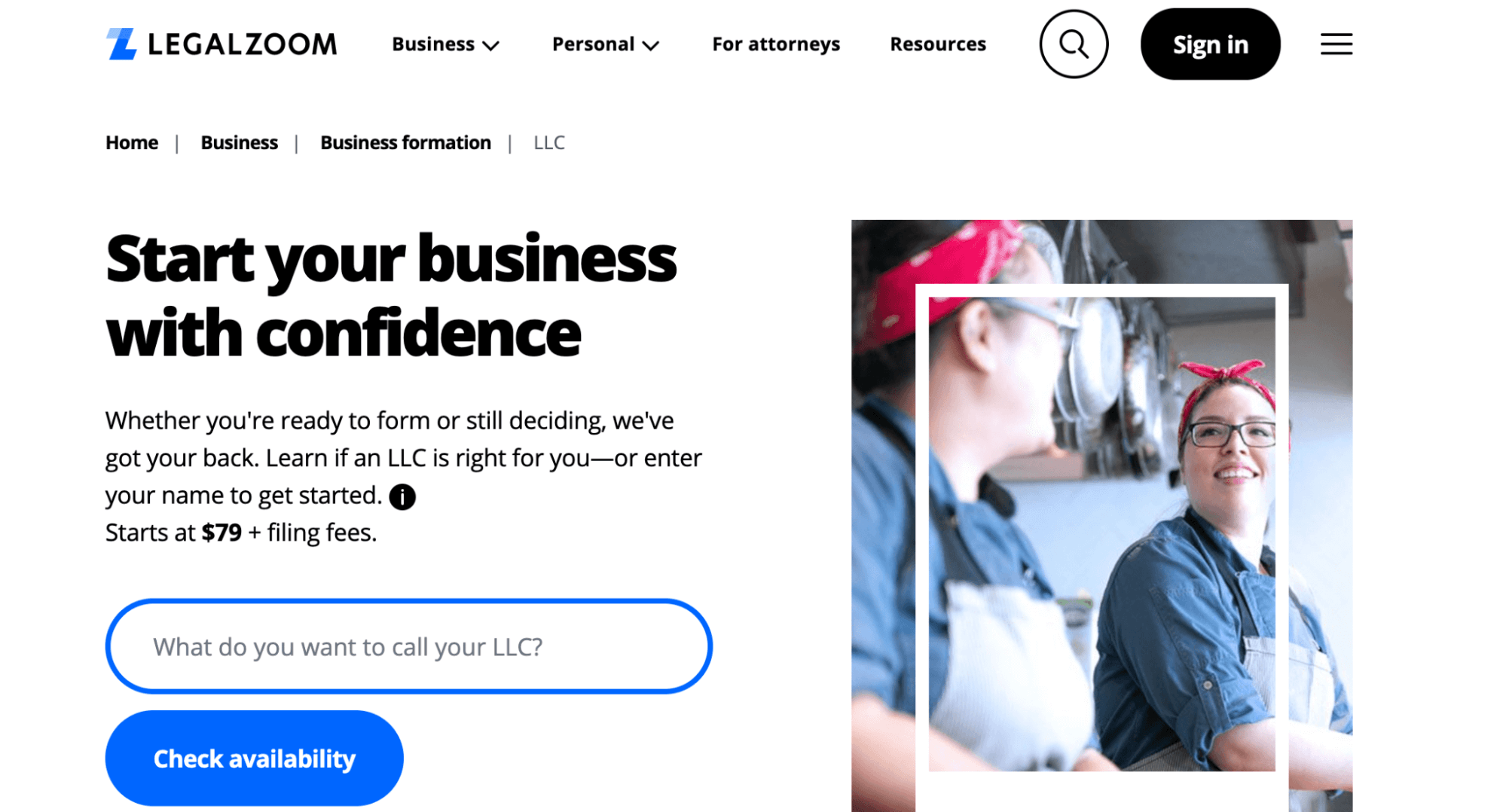
LegalZoom is a top option in this category.

I like LegalZoom because the platform has a reputation that speaks for itself. The service has been used to form over two million businesses across a wide range of categories.

LegalZoom offers several popular entity types, registered agent services, and legal consulting services for businesses as well. So you can get everything you need in one place.

In addition to its simplicity and reliability, LegalZoom is extremely affordable. Business formation services start at just $79 plus state filing fees.

All you need to do is answer some simple questions online, and LegalZoom will take care of the rest. They’ll handle all of your state filings, federal filings and get your EIN (employer identification number) as well.

Here’s a brief overview of different entity types you can choose for your dropshipping business:

Sole Proprietorship

Sole proprietorships are the easiest to form because the filing requirements are minimal. State and federal filings aren’t required—your business income gets reported on your personal tax returns.

But sole proprietorships don’t offer any liability protection. So your personal assets might be in jeopardy if you’re using this structure to run your dropshipping business.

LLC (Limited Liability Company)

An LLC is one of the most popular business types for online stores.

An LLC establishes a separate entity for your business. While the liability protection isn’t necessarily bulletproof, it offers much more protection than sole proprietorships. LLCs combine the taxing structure of a sole proprietorship with the liability of a corporation.

Corporation

Corporations fall into two categories—C corps and S corps.

The biggest difference between these two options is taxation. S corporations have pass-through taxation, meaning shareholders (owners) report income and losses on their personal tax returns. C corporations are taxed twice.

Generally speaking, LLCs will be the best option for most dropshipping businesses. Corporations work well if you’re getting outside investors and want to sell stock in the company, which isn’t typical for dropshipping sites.

Step 3 – Build Your Online Store

Now it’s time to create your website and ecommerce shop. The easiest way to do this is through an ecommerce platform. Just make sure the ecommerce platform you’re using supports dropshipping out of the box.

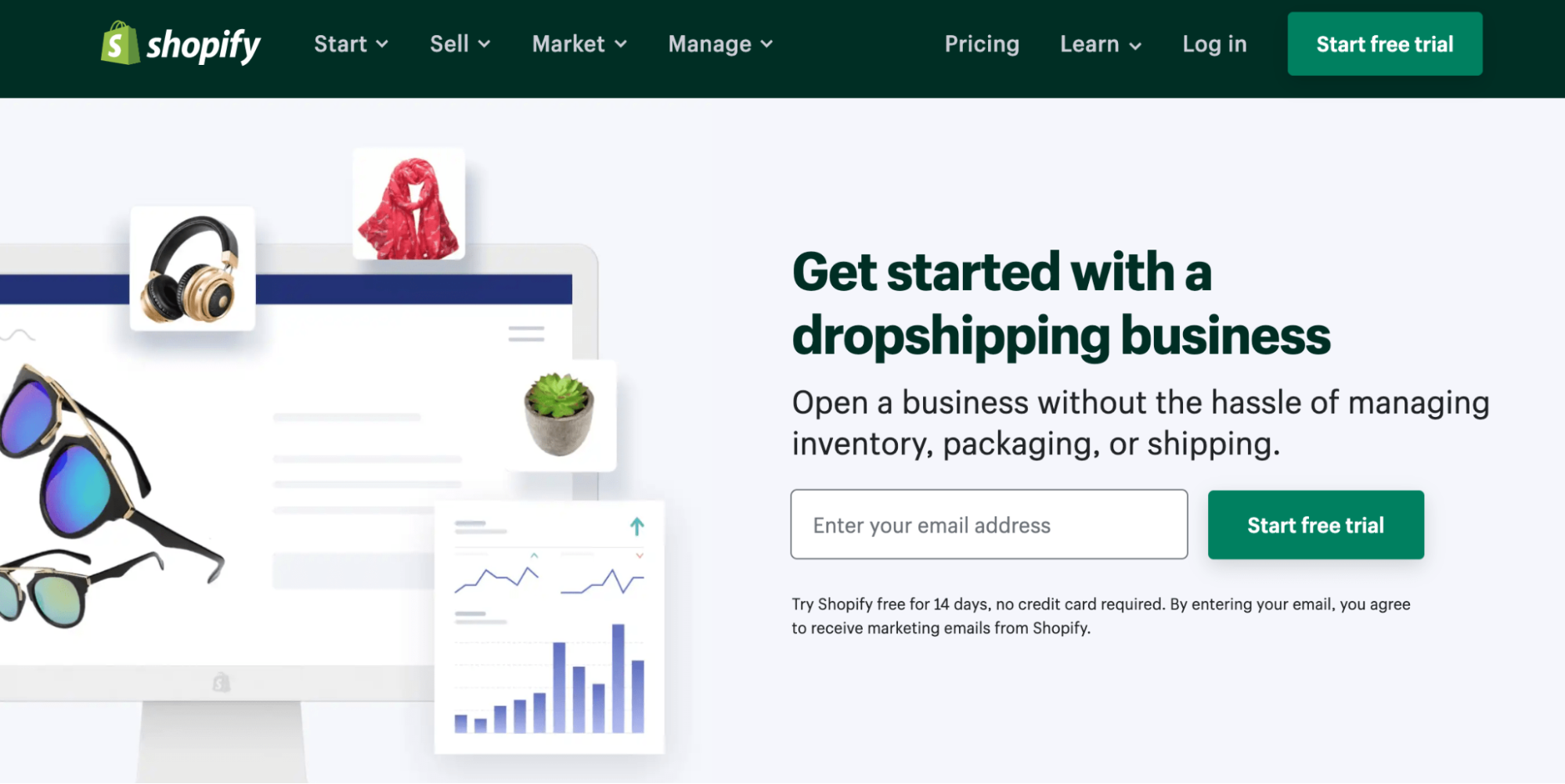
Shopify works well for most new dropshipping businesses.

The platform has everything you need to start selling online immediately. You can create a professionally designed online store in a matter of minutes by choosing a template that fits within your niche.

Shopify also offers solutions for helping you find the best products to sell online.

It’s also easy to get paid with Shopify. You can take advantage of the platform’s built-in payment processing or integrate a third-party payment processing solution to your site.

Another reason why I like Shopify so much is that you can sell online through multiple sales channels. In addition to your website, Shopify supports sales on Facebook, Instagram, eBay, Amazon, and Walmart Marketplace.

Plans start at just $29 per month, and you can try it free for 14 days.

Step 4 – Select a Dropshipping Supplier

Once your online store is up and running, it’s time to figure out where your products will be coming from. It’s important to use a supplier that seamlessly integrates with the ecommerce platform you’re using.

This will make it easier for you to manage online orders and limits the amount of work you need to do when a customer buys something on your site.

Ideally, the order will go straight to the supplier without any manual steps required on your end.

Compare Suppliers

When comparing suppliers, you need to find a balance between price, quality, and reputation. Some suppliers might be really cheap, but the products are of poor quality.

For some of you, this might not be important. But others will prioritize quality. It all depends on the type of brand you’re building.

Your supplier will ultimately be a direct reflection of your business. The customer doesn’t care where the product comes from or if you’ve never actually seen the inventory in person. They ordered something from your website—so if they’re unhappy, you’ll get blamed.

Integrate the Supplier With Your Ecommerce Platform

Connect your supplier to the ecommerce platform. For simplicity’s sake, let’s say you decided to go with Shopify.

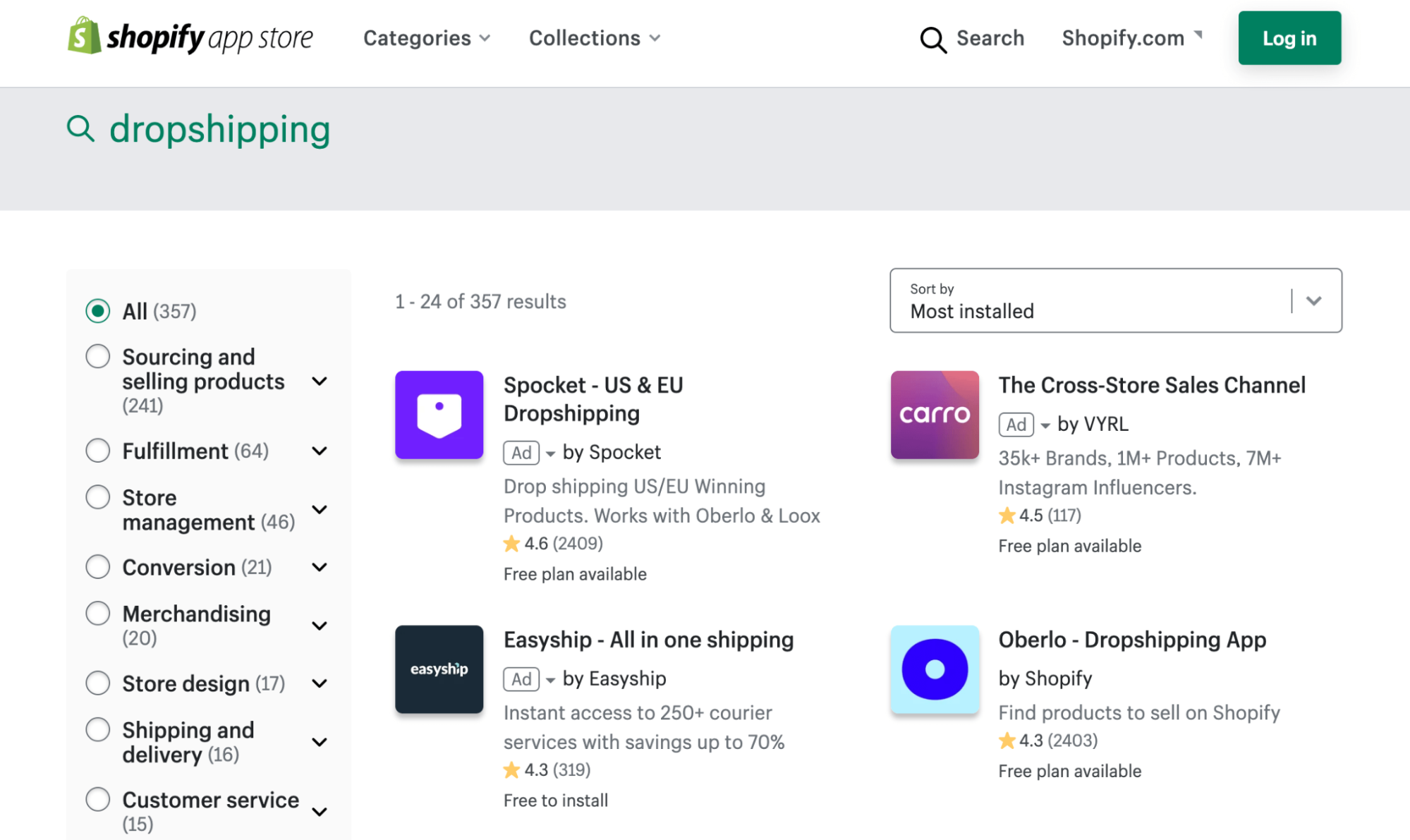
There are hundreds of different integrations available on the Shopify App Store to simplify your dropshipping process.

The exact integration process will look a little different depending on the ecommerce platform you’re using and the supplier you choose.

Step 5 – Market Your Online Store

The first four steps are relatively straightforward. But once everything is in place, the hard part begins.

Now you need to drive customers to your website. This can be a time-consuming and potentially costly process depending on the methods you choose.

Here are some ideas to get you started:

  • Build a social media presence
  • Run paid ads on Facebook, Instagram, and Google
  • Create a content marketing strategy for long-term traffic
  • Add a blog to your site
  • Partner with influencers to promote your product
  • Start a YouTube channel to run product demonstrations
  • Join communities where people are passionate about your product or industry
  • Collect email addresses and run promotions for new customers

The key here is to try and keep your customer acquisition costs as low as possible initially. Then find ways to retain your customers after the initial purchase so that they buy more in the future.

Don’t get discouraged if you’re not selling products on day one. It takes time to have success in this space.


from Quick Sprout https://ift.tt/3hhaOaM
via IFTTT

Best CRM for Gmail

For most businesses, their most valuable and important asset is their customers. So it makes sense that finding the right Customer Relationship Management software is vital to the success of your business. If you’re scratching your head thinking that this tool is going to be yet another app to add to your business tools, think again.

Some CRM software will integrate directly with your Gmail inbox. This means bringing powerful CRM functionality to your favorite email platform. It also means you don’t have to spend time learning completely new software and can manage your customer relationships in the same place you communicate with them.

If this sounds perfect to you, stick with us! We spent hours researching and testing the best CRM software for Gmail out there and today we are going to tell you all about them.

The Top 6 Best CRM for Gmail

  1. NetHunt – Best for most
  2. Streak – Best for tracking sales pipelines
  3. HubSpot – Best free Gmail CRM tool
  4. Copper – Best for automations
  5. Agile CRM – Best for contact management
  6. Insightly – Best for managing enterprise-level relationships

We’re going to take a closer look at the features, benefits, and pricing of each software below. Use this guide to find the best CRM for Gmail for your business.

If you’re interested in looking into CRM solutions that don’t specifically integrate with Gmail, you can also check out our list of the best 8 CRM software solutions in 2021.

#1 – NetHunt — Best for Most

  • Algorithm-based pipeline mgmt
  • Personalized email sequencing
  • Automated data capturing
  • Detailed contact organization
Try free for 14 days

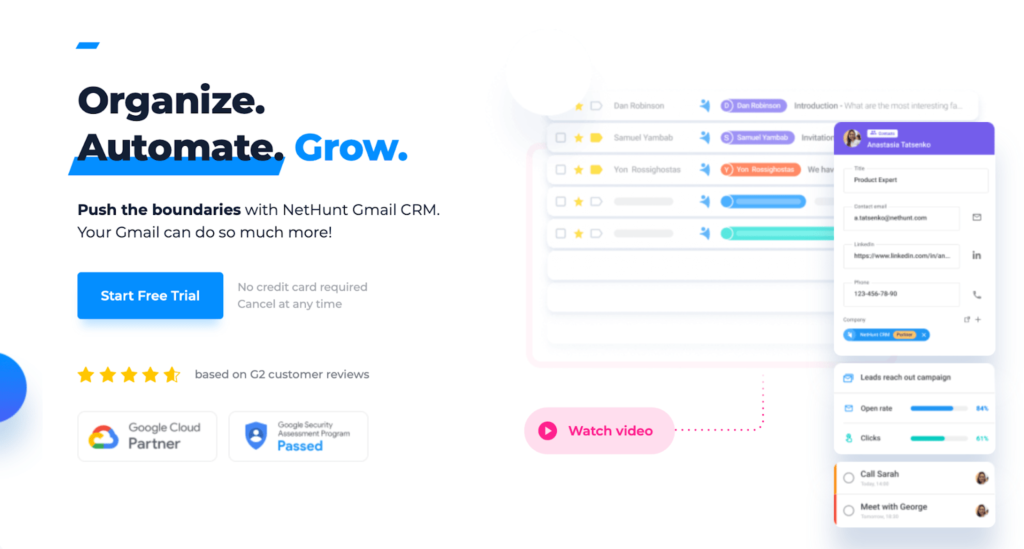
At Quick Sprout, we prefer not to be vague when it comes to recommending what a software tool is best for. But in the case of NetHunt, it truly is suitable for just about everyone.

No matter whether you are a freelancer, small team, or a large company, NetHunt is ready to support you with its feature-rich CRM software that will integrate directly into your Gmail inbox.

With NetHunt, it’s all about automation. You can automate your entire CRM process from capturing inbound leads to nurturing them into a sale with personalized email sequencing. You can kiss data entry goodbye too. NetHunt will automatically capture client data from multiple forms such as web forms, inbound emails, LinkedIn, and Facebook.

You can even automate the sales pipeline. NetHunt uses clever algorithms to move leads along the pipeline depending on their actions such as replying to an email.

Some other features NetHunt offers are:

  • In-depth customer base organization including links to conversations, events, and tasks
  • Capability to create several pipelines for your product and services
  • An easy drag-and-drop process to manually progress cards in sales pipelines Prioritization of customer requests from critical severity to low need
  • No tab-switching or window-minimizing with all capabilities linked directly inside your Gmail inbox

Not only is NetHunt consistently presented as a top contender in the Gmail CRM software market, but it’s also one of the most affordable on the market. NetHunt pricing plans include:

  • Basic – $24 per user per month
  • Business – $48 per user per month
  • Advanced – $96 per user per month

If you’re not sure which plan to choose, NetHunt offers 14-day free trials for all its plans.

#2 – Streak — Best For Tracking Sales Pipelines

  • Fully integrated with Gmail
  • Customizable pipelines
  • Solopreneur plan available
  • Mobile friendly
Try for free

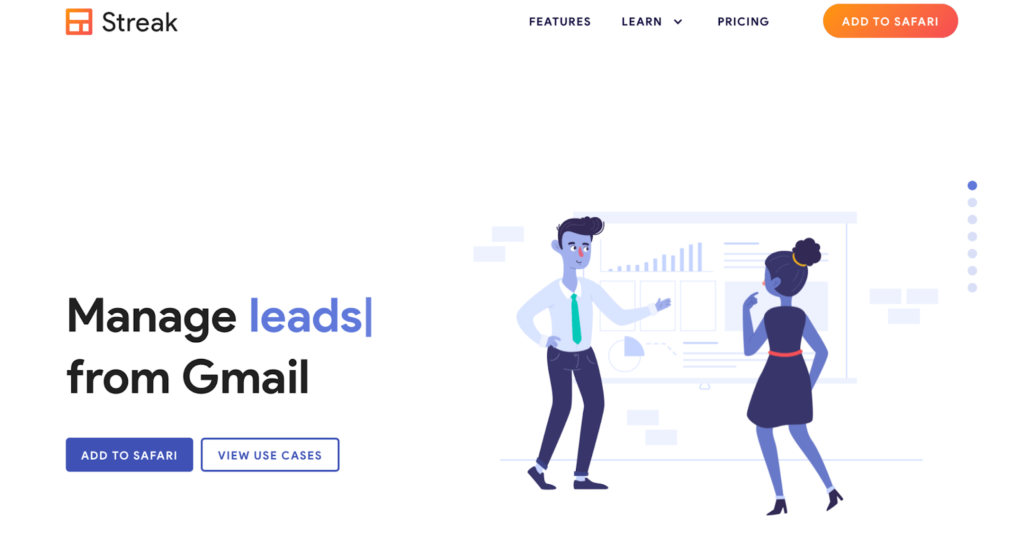
Streak is one of few Gmail CRM options that is completely integrated with Gmail, meaning it lives directly inside your Gmail inbox. It comes with all the Google Workspace integrations too.

Streak is considered more of a lightweight CRM option, but don’t let that deter you. Streak packs a punch with tons of juicy CRM details like pipeline and lead generation features. Its pipeline tool is one of the best around. You’ll be able to keep your pipeline moving at all times by setting up and customizing a perfect process for your team to follow–no matter the scenario!

Furthermore, Streak will automatically capture data from your contacts and emails and add them to your pipeline. You can set up notifications to alert you as things progress through the pipeline so you’ll never forget a follow-up task.

Some other features Streak has to offer include:

  • Manage a range of workflows such as sales, project management, support, or recruitment
  • Easy-to-use with virtually no training required
  • Available on mobile devices
  • Email power tools such as tracking, mail merge, and send later features
  • Easy scalability for growing businesses

Streak offers a range of pricing plans with the flexibility to choose billing monthly or annually.

You can even get started on a very basic plan with Streak for free!

  • Free – $0 per month for an unlimited period of time
  • Solo – $15 per month (single users only)
  • Pro – $49 per user per month
  • Enterprise – $129 per user per month

Get started for free with Streak today!

#3 – HubSpot — Best Free Gmail CRM Tool

  • Easy implementation
  • Powerful contact management
  • Log and track emails in real time
  • iPhone/Android accessible
Get started for free

HubSpot is a household name in the CRM world, so it’s only natural that they would make the top list of Gmail CRM software. HubSpot offers comprehensive CRM tools to all types of businesses for free.

It is important to point out that although the free version has a lot of features, they may not be as robust as what you need as your company scales. Luckily, HubSpot also offers phenomenal paid plans to support you as you grow.

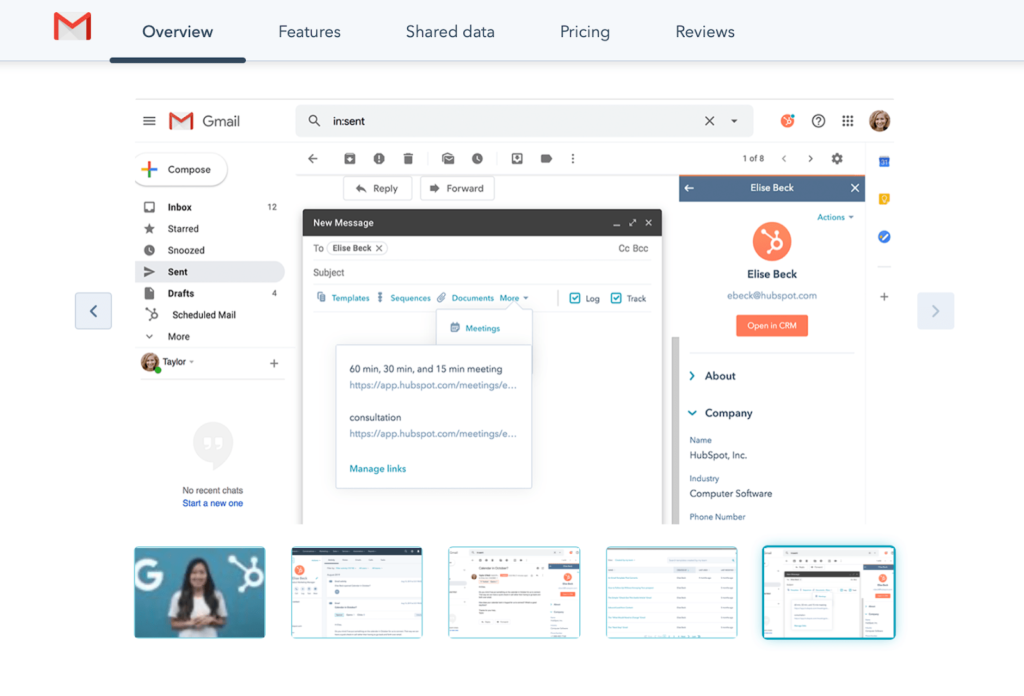
HubSpot’s free Gmail CRM tool is implemented as a Chrome extension. It helps to streamline its user’s workflow by optimizing email tracking and sales with features like:

  • Customizable email templates
  • Automated outreach
  • Simplified meeting scheduler
  • Sales pipeline
  • Mobile access for both iPhone and Android

You’ll also be able to log emails with one click, and track email opens and clicks in real time, all under one roof. The great thing about choosing HubSpot Gmail CRM is that as your business grows you’ll have one of the most extensive CRM software tools out there, already at your fingertips.

You can start using HubSpot for free today. If you want to start with one of its feature-rich plans the pricing tiers are:

  • Basic – $6 per user per month
  • Business – $12 per user per month

#4 – Copper — Best For Automations

  • End-to-end automation
  • AI-drive task management
  • Custom report generation
  • Starts at $25/month
Try free for 14 days

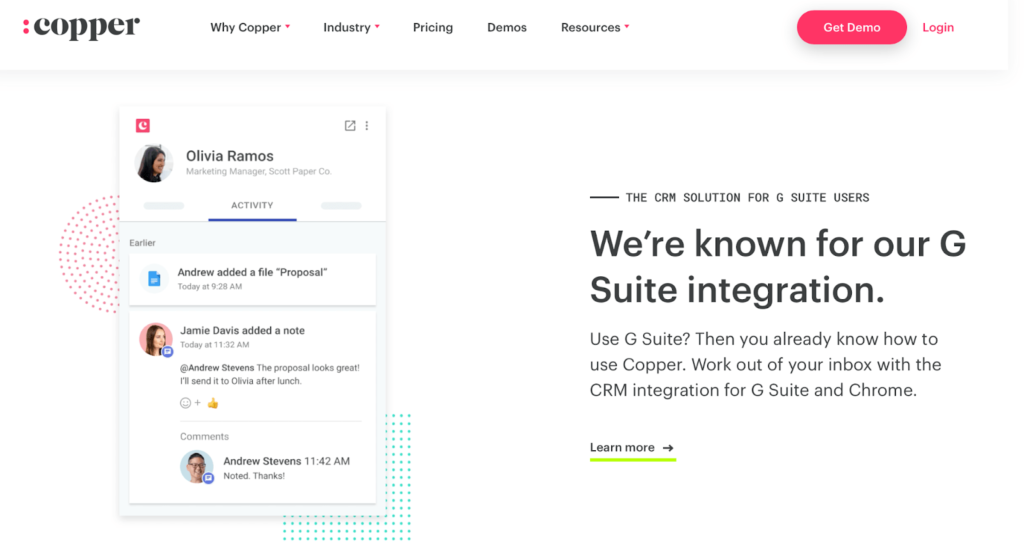
When Google itself recommends a software, you have to acknowledge that it is likely one of the best in the market. Copper is exactly that.

One of the first CRM software to integrate CRM and Gmail beyond sidebar status, Copper is built with Google Material Design. Within the CRM platform, email tracking, call logs, and contact management, all look and feel like Google Workspace.

Copper offers powerful AI-driven capabilities in a bid to give you back more time. It takes care of tedious and time-consuming tasks such as recording emails, calls, and events, while you focus on building customer relationships.

What we particularly love about Copper is the email automation features. You can automate follow-up emails with personalized templates and set automatic reminders for when it’s time to personally get in touch with a prospect or buyer.

Some other features Copper has to offer include:

  • Organize contacts in one central place
  • Set up the sales pipeline in a way that works for you
  • Generate custom reports to track business progress
  • Manage projects after the deal is closed

If you want to give Copper a go, you can do a 14-day free trial totally commitment-free. When your trial is over, Copper offers three pricing plans:

  • Basic – $25 per user per month (3-seat limit)
  • Professional – $59 per user per month
  • Business – $119 per user per month

#5 – Agile CRM — Best For Contact Management

  • 360-degree contact view
  • Sync contacts automatically
  • First 10 users free
  • Plans under $50/user per month
Try it for free

If you’re looking for a straightforward CRM software that offers simplified and easy contact management, Agile CRM is the one for you.

Agile CRM’s Chrome extension for Gmail will streamline communication between the CRM platform and your Gmail inbox. This does mean there is some tab switching involved to get the complete overview of your data. Luckily its two-way contact sync allows you to access contacts from both systems, so you won’t need to enter the data twice.

Agile CRM also offers a unique contact management feature–a 360-degree contact view. This feature allows you to build a detailed profile for each contact including contact information, communication history, social media profiles, interests, points of engagement, and much more. Furthermore, you can access all of this information from a single contact page.

If this isn’t giving you everything you need to woo the prospect and nurture the relationship, then we don’t know what will.

You’ll also be able to:

  • Track email campaigns
  • Add or delete contacts from existing campaigns
  • Generate email performance reports
  • Send out personalized SMS and include mobile messaging in your campaigns
  • Automate your workflow with an easy drag-and-drop designer

If you’re looking for the bare minimum, you can get away with Agile CRM’s free plan. Alternatively, its paid pricing plans based on a two-year contract are as follows:

  • Starter – $8.99 per user per month
  • Regular – $29.99 per user per month
  • Enterprise – $47.99 per user per month

The free plan can be used for up to 10 users, so why not get started for free today!

#6 – Insightly — Best for Managing Enterprise-Level Relationships

  • Handles sales, marketing, & project management
  • Detailed relationship mapping
  • Up to two users free
  • Kanban pipeline views
Try it for free

Insightly is built for enterprise-size sales and relationship management. Insightly is a bit different from the other tools we’ve looked at today. Not only does it focus on sales and marketing, but it also offers project management software. In a nutshell, it’s a CRM and project management powerhouse.

Building and maintaining complicated and large-scale relationships is easy with Insightly. Its relationship map feature allows you to create a comprehensive web of interactions between the customer, the business, and other partners. At a glance, you can quickly determine who knows who, and build a clear view of an organization’s structure and networks.

While Insightly’s Gmail integration isn’t particularly robust, it offers key CRM tools such as Kanban sales pipeline and relationship maps designed to nurture your customer relationships. There will be some significant tab-switching between the two platforms but for the feature-rich software you receive for your trouble, we think it’s worth it.

Although Insightly is certainly geared to enterprise-size organizations, its free option for two users positions it well to cater to freelancers or startups as well. Paid pricing plans look like this:

  • Plus – $29 per user per month
  • Professional – $49 per user per month
  • Enterprise – $99 per user per month

Why not try one of Insightly’s paid plans for free today!

How to Find The Best Gmail CRM For You

With so many great software to choose from how do you tell the difference? How do you decide which one is the right CRM tool for you? Of course we have an underlying methodology to follow when it comes to narrowing down the top picks of this list.

Obviously our first point of focus is seamless integration with Gmail. Then depending on the size and scope of your business, you may want to consider which of the existing software you use can also integrate with your chosen CRM software.

Aside from ensuring the software covers the other standard criteria such as price and ease of use, here are some things that you should factor into your buying decision if you’re looking to step outside of the options mentioned above.

Bulk Email Management

Having the ability to store and easily send email templates is one thing, but the ability to send personalized bulk emails to your contact list at once is a game changer for organizations with lots of contacts. Instead of manually addressing and sending the same email to hundreds or thousands of contacts, your CRM tool should do that for you.

Ideally, it would also be great if your Gmail CRM tool could automatically tag and label emails as they land in your inbox. This will help you to prioritize the leads that are hot and nurture the leads that need a little more attention.

If you are running a smaller business with only a handful of contacts, this criteria may not be as important to you as others. However, it’s still a great feature to keep in mind when searching for the right CRM tool, even if it’s a feature of a higher paid plan of your chosen software provider. This way you’ll have the option to upgrade to this feature if you find your contact list growing beyond your means.

Automation & Scheduling

Automation and scheduling almost go hand-in-hand with bulk email management. In a nutshell, you want to take as much work off your plate and put it in the hands of the software.

Your Gmail CRM software should offer enough automation to prevent any bottlenecks from arising in your sales pipeline. These automations can either be in relation to email leads or responses, or to do with other business processes such as tracking leads through the pipeline and invoicing.

Similarly, an excellent feature to look out for in your CRM software is scheduling. This is particularly important for organizations who may be working on a global scale across multiple time zones. But in general, having the ability to prepare emails and schedule them for a time when your prospects are most engaged is going to offer plenty of advantages to your business.

Team Collaboration

Whether you’re a team of two or a team of 20, transparency and collaboration among the team is vital to nurturing customer relationships. As a prospect, there is nothing more frustrating than having to repeat conversations with different representatives multiple times over. This shows a lack of communication and collaboration among the team that you could be working with.

Therefore it’s vital that you consider implementing a Gmail CRM that will not only help you to organize and automate your entire email process, but will also encourage seamless team collaboration. Some of the key features to keep an eye out for are the ability to tag colleagues in tasks or updates, share common files or templates, share appointment dates, and share notes on customer contact information.

Not all Gmail CRM software options have these collaboration features. Although it would certainly be beneficial for a small team, if you need to pay more than you can afford for a plan to include these features, it may be a deal-breaker for you. Instead, look out for plans that include collaboration features on its higher plans so you know you can grow into these features as your team grows.

Summary

What’s the best CRM for Gmail? That depends on what you’re looking for!

If price is your number one priority, you simply cannot go past CRM powerhouse, HubSpot.

Alternatively, if you’re looking for software that will integrate with your inbox as if it has been there forever, tools like NetHunt or Streak are great options.

At the end of the day, the best software for me isn’t going to be the best for you. Do your research while keeping our criteria in mind and sign up for lots of free trials. Testing is a great way to narrow down what your key requirements in a software are.


from Quick Sprout https://ift.tt/3yfxpvl
via IFTTT